UperLogic
The “UperLogic” is the name of logic edit and test application software that will be used with FATEK M-Series PLC. The “UperLogic” can be used for setting up the PLC logic edit network as well as executing servo control, temperature control and other functions.
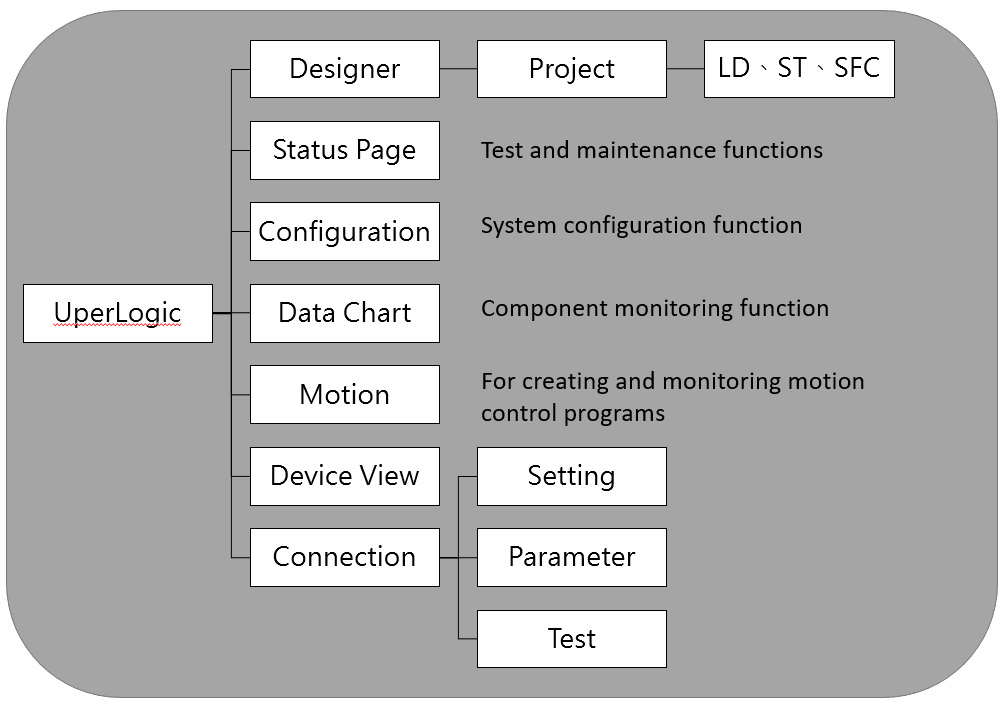
UperLogic function diagram
4-1 Connection Method
You may start the online communication by connecting TYPE-C USB connector or RJ-45 (Ethernet) connector to M-Series PLC Module and the PC (preferably the operating system above Window 7) installed with UperLogic edit software.
4-1-1 Connection through USB
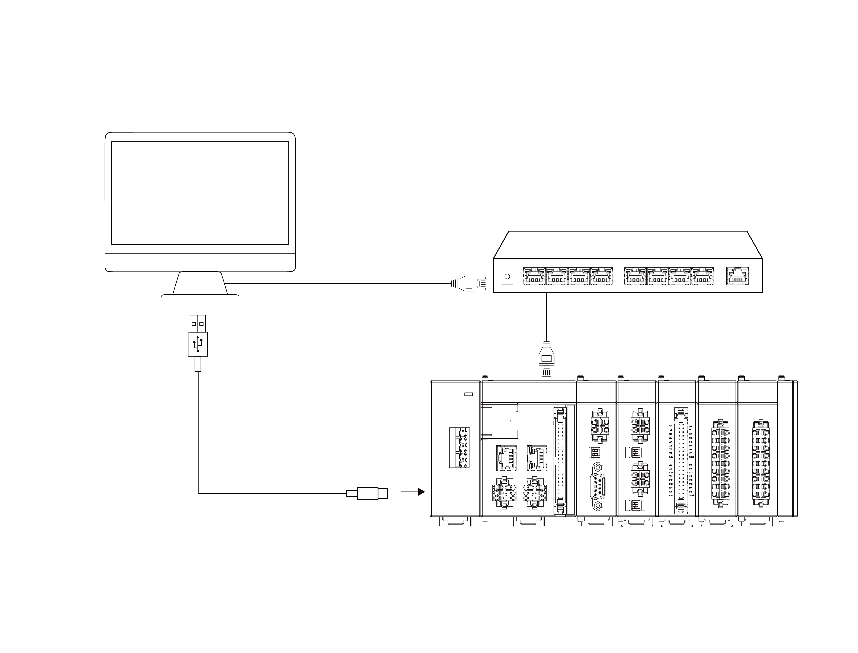 Connection method: Please use the commercial USB connector to connect with M-Series PLC USB port through standard PC USB port. You may also connect with the M-Series PLC USB port through the UperLogic edit software.
Before connection: When connecting the PLC through the USB and PC, you must install the USB drive on the PC.
Listed below is the USB driver route:
C:\Program Files (x86)\Fatek\UperLogic\utility
UperLogic setting
You may set the PLC and the PC connection
method through UperLogic. For detailed
setting method, please refer to the M_PLC_Software Introduction Manual.
Commercial Type-C USB cable: Shorter than 2m (meeting USB 2.0 and 1.x standard)
4-1-2 Conenction through Ethernet
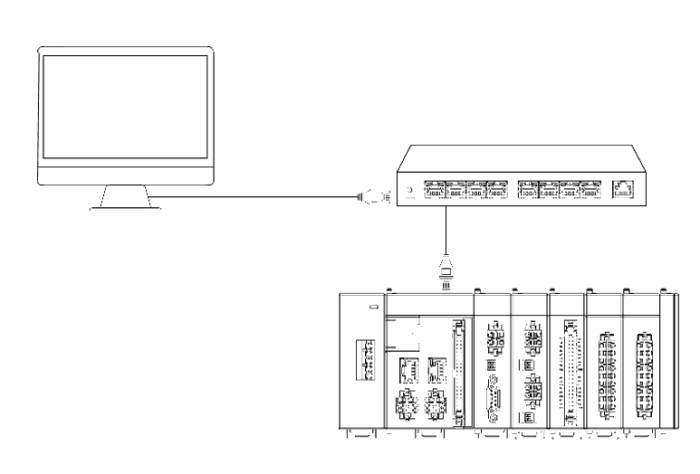 With the Ethernet double-shield stranded cable being connected to the PC, you may connect with the PLC Ethernet port through the router. You may also use the UperLogic edit software to connect with the aforesaid PLC Ethernet port.
Before connection:
When executing the connection through the Ethernet, please set up the IP address of the PC and the sub-net mask.
Pre-set IP: 192.168.2.4
Pre-set sub-net mask: 255.255.255.0
Pre-set Gateway: 192.168.2.1
UperLogic setting:
Through UperLogic, you may set up the connection method between the PLC and PC. If several M-Series CPU modules should be connected to the PC on the router, you may change the IP address of the CPU module in order that these PLCs will be connected with the UperLogic alternately. For detailed setting method, please refer to the M_PLC_Software Interface Manual.
Tip: press ← → to switch chapters, Ctrl+K to search