iAccess Insight is a FATEK IoT tool that assists users in remote updates and maintenance of devices. You can find it in FvDesigner.

Alternatively, you can download the standalone installation package.
https://www.fatek.com/download.php?act=list&cid=16
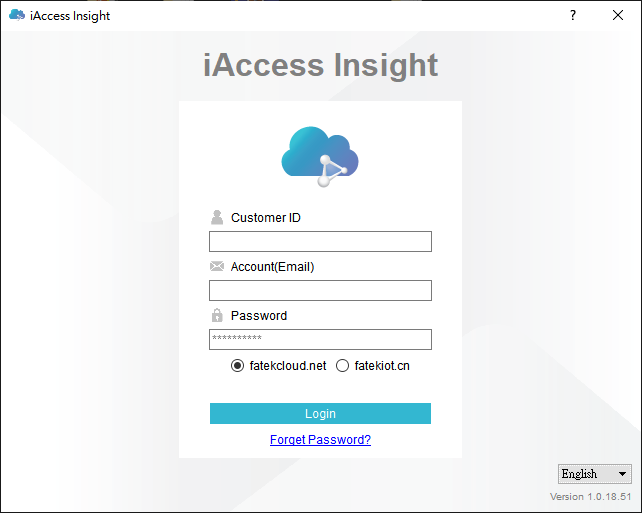
After opening the application, select the server you want to connect to, then fill in the Customer ID, Account, and Password to log in.
After logging in, you will see the iAccess devices that have been Enable.
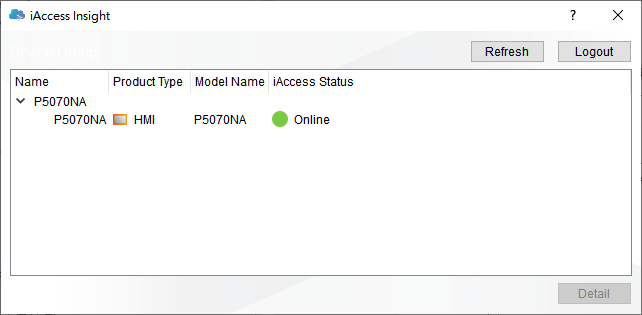
|
Item |
Describe |
|
Name |
Device name, need to login to the website to set. |
|
Product Type |
Display the product type. |
|
Model Name |
Display the group’s model name. |
|
iAccess Status |
Display the current status of the device. |
|
Refresh |
Refresh the device status. |
|
Logout |
Logout the account. |
|
Detail |
Select the device then enter the remote function page. |
5.1 HMI Maintenance
Click on the HMI to enter the device control page.
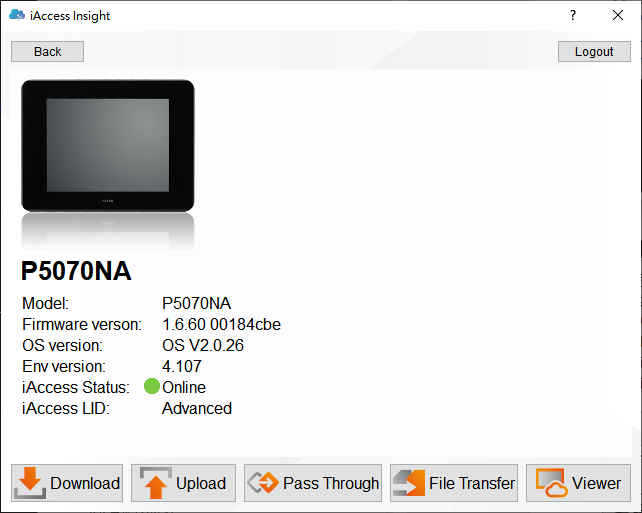
|
Item |
Describe |
|
Name |
Device name. |
|
Model |
Display the device model. |
|
Firmware version |
Display the device firmware version. |
|
OS version |
Display the device OS version. |
|
Env version |
Display the device environment package version. |
|
iAccess Status |
Display the connect status. |
|
iAccess LID |
Display the LID type. |
5.1.1 Upload/Download
Users can remotely upload and download projects for HMI.
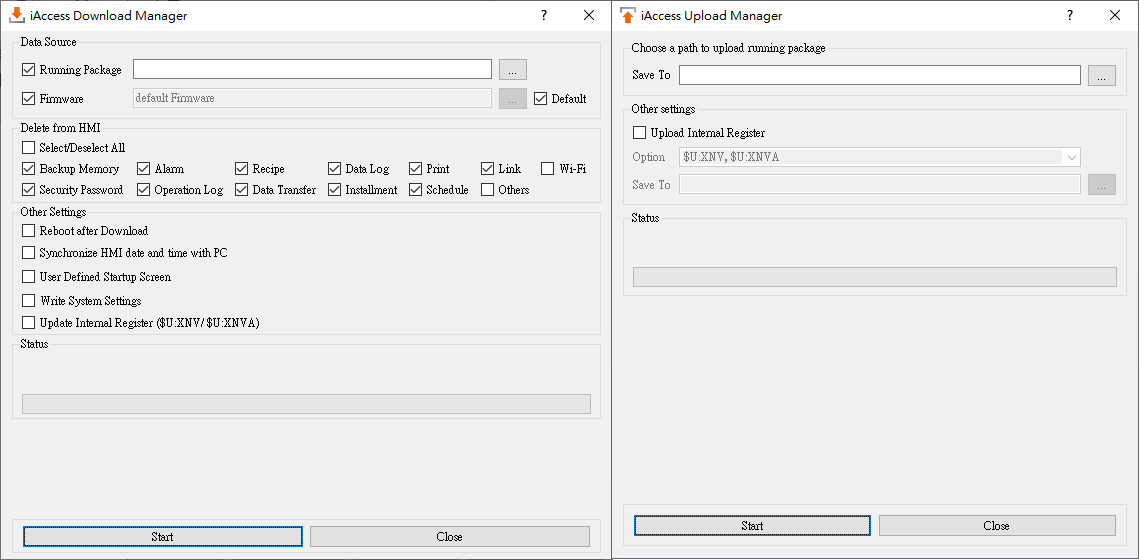
If you encounter mismatches between the project and firmware when using the standalone installation package of iAccess Insight, please update to the latest version of iAccess Insight from the official website.
5.1.2 Pass Through
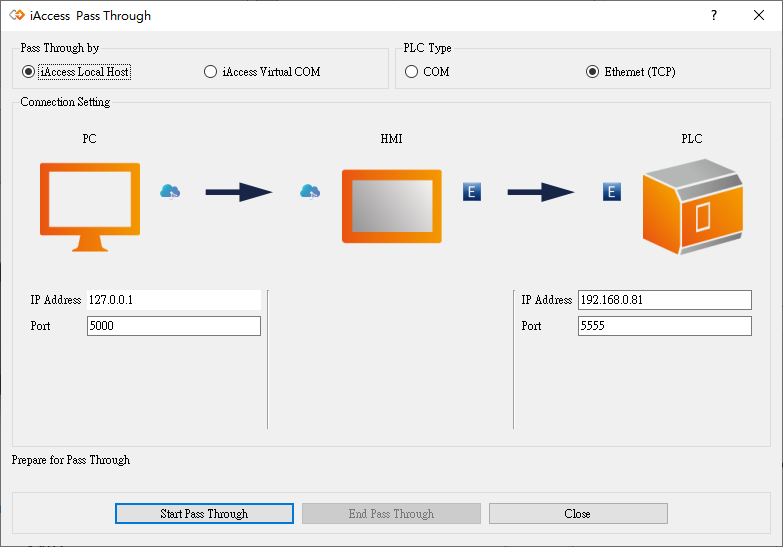
Using Pass Through allows remote control of the PLC.
|
Item |
Describe |
|
Pass Through by |
Choose between using IP or iAccess Virtual COM. |
|
PLC Type |
Select how the HMI is connected to the PLC. |
|
Comrection Setting-PC |
Configure the method of connection to the remote HMI. |
|
Comrection Setting-HMI |
Set up the serial port for the HMI to connect to the PLC; this step is not necessary if the HMI and PLC use network communication. |
|
Comrection Setting-PLC |
Configure the connection parameters for the remote PLC. |
5.1.3 File Transfer
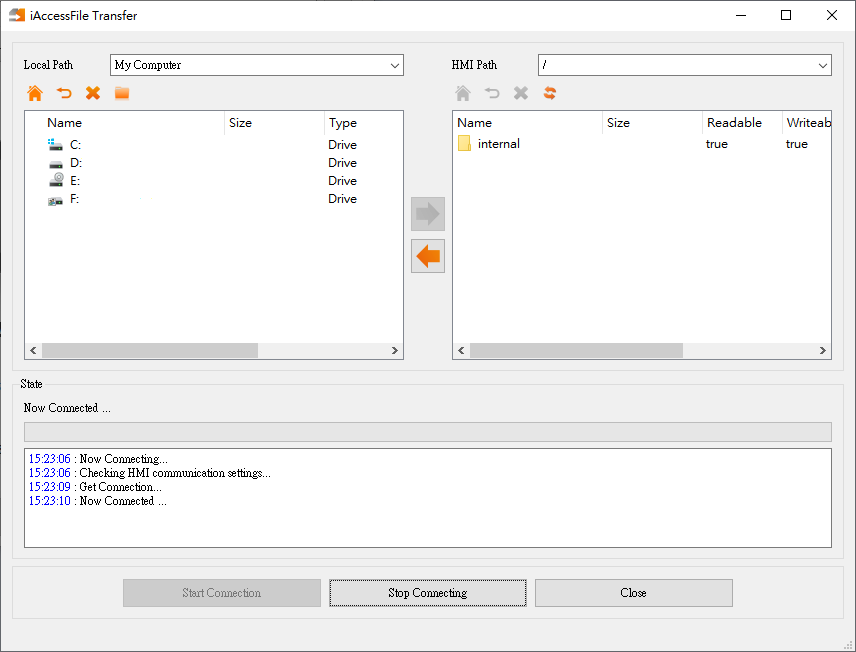
Users can connect to the remote HMI to access the internal folders.
5.1.4 Viewer
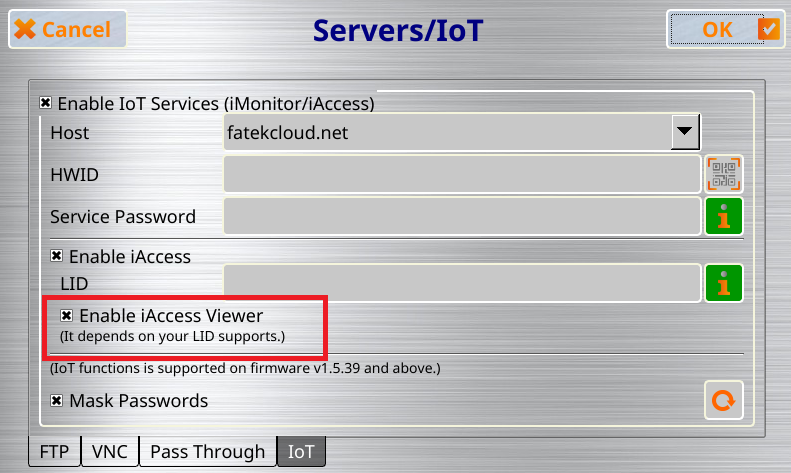
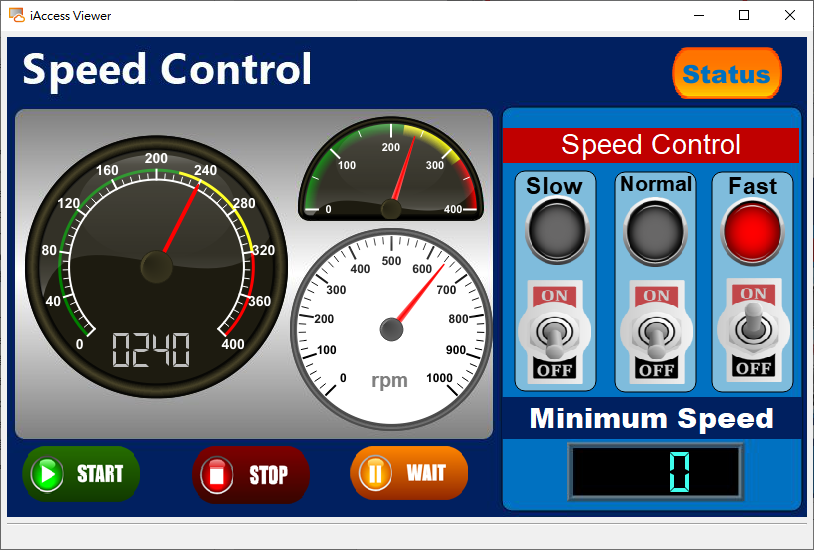
The Viewer function supports users to control the screen via a computer or app. This feature needs to be enabled in the system settings of the HMI beforehand.
Tip: press ← → to switch chapters, Ctrl+K to search