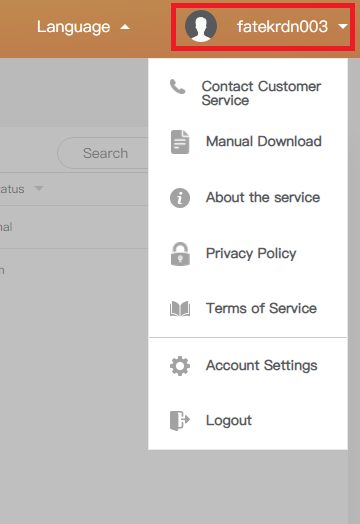
Clicking on the top right corner of the webpage will trigger a pop-up window.
|
Item |
Describe |
|
Contact Customer Service |
Can directly send email to FATEK customer service for help. |
|
Manual Download |
Download the manual. |
|
About the service |
Briefly explain supported function and QR code for downloading the App. |
|
Privacy Policy |
View the Privacy Policy document. |
|
Terms of Service |
When using Fatek service indicates you have accepted. the terms of service, please read these terms carefully. |
|
Account Settings |
Modify account settings. |
|
Logout |
Exit FATEK IoT. |
Click on the bottom left corner of the webpage to display the Resource Usage.
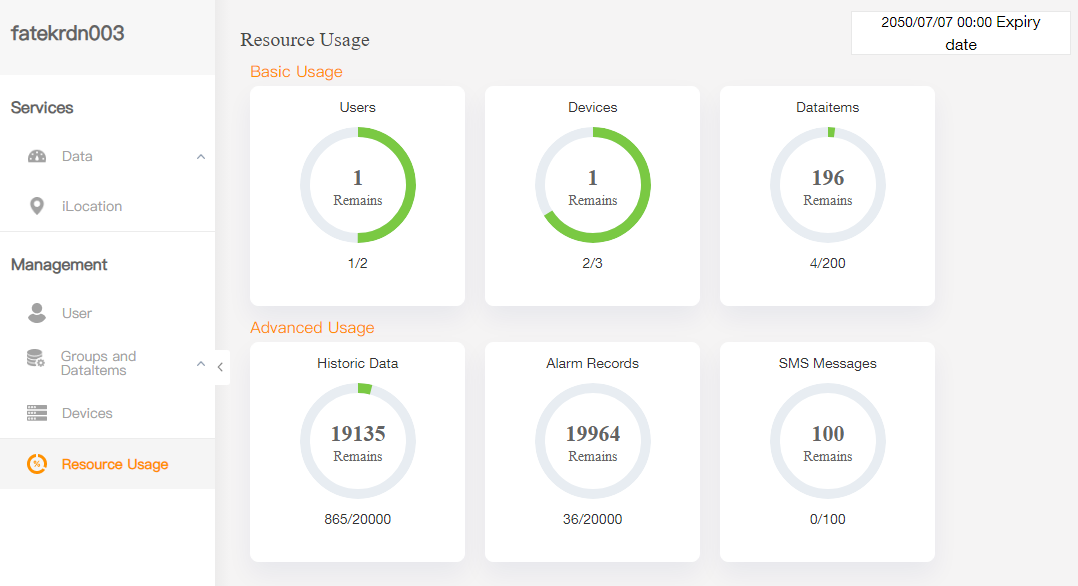
Here, you will see the usage of various functions, and if it’s iMonitor, the expiration date will be displayed.
Tip: press ← → to switch chapters, Ctrl+K to search