Summary
This document explains how to set up TCP/UDP Socket
communication on an MPLC through the Ethernet port,
with command examples.
The example uses two MPLCs (one Client and one Server)
to build two-way Socket communication. After start-up,
the Client sends data first. Each side waits 2 seconds
after receiving, then sends the data back (a “handshake
reply”). They keep exchanging the internal real-time clock
values (minutes and seconds). After 10 transfers, the
Socket connection closes automatically.
Version
PLC︰v1.0.58
UperLogic︰v1.0.17
Sample Project
https://file.fatek.com/M_PLC/Project/Socket-Project.zip
How to Run the Example
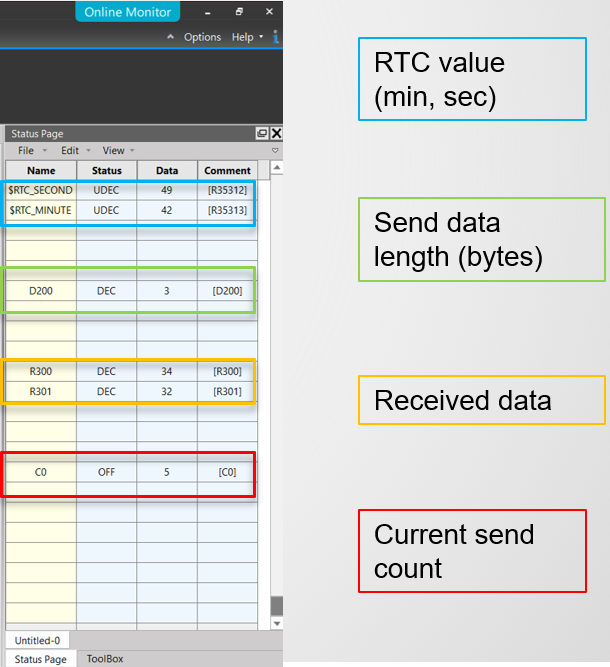
- Before testing, download the “Socket-Server” and “Socket-Client”
projects to the two MPLCs. - On both MPLCs, set register D200 to the decimal value 3.
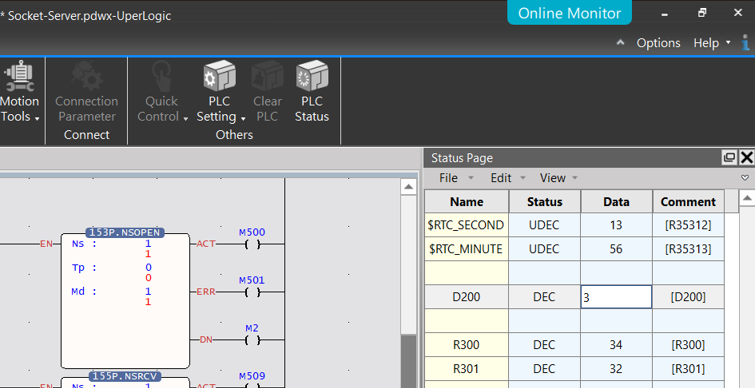
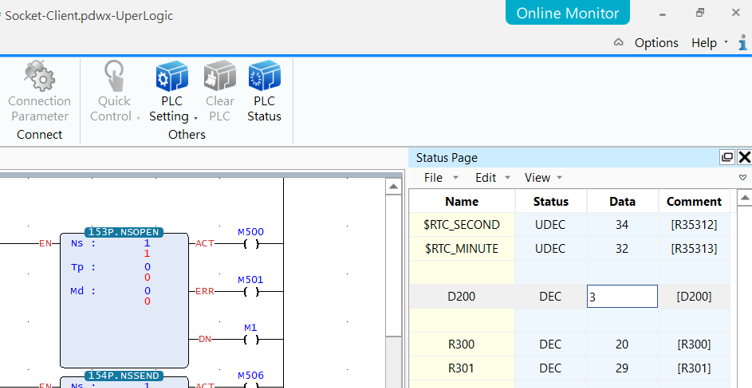
First trigger M0 in the “Socket-Server” project, then trigger M0 in the “Socket-Client” project.
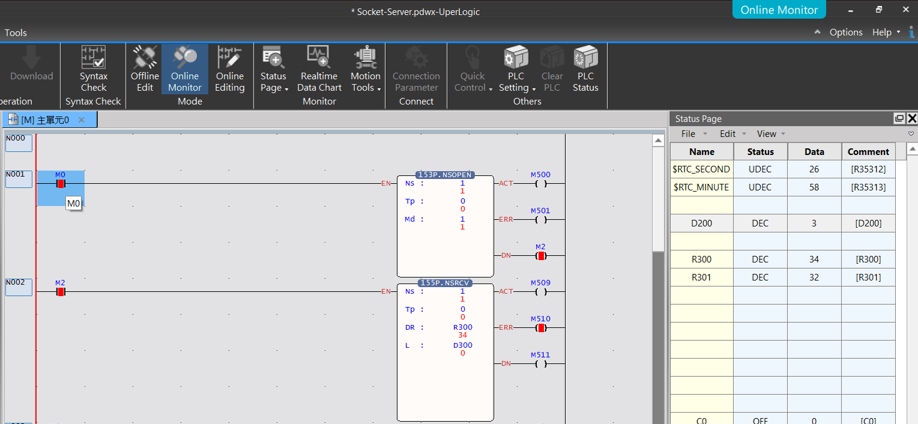
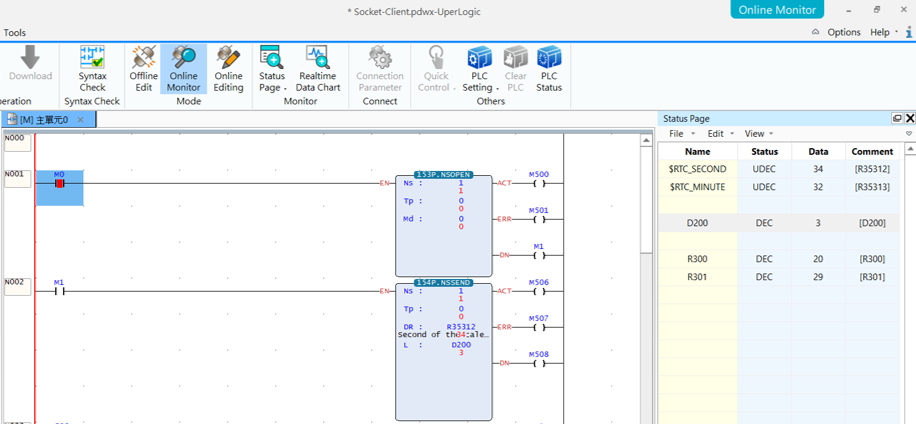
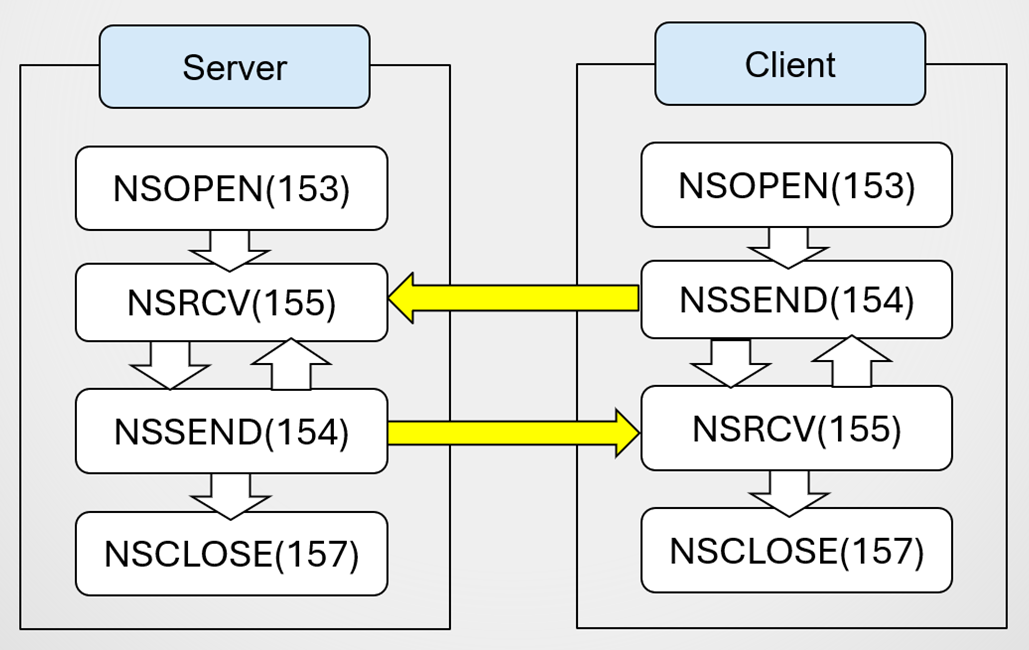
After you trigger M0 on both MPLCs, the Client sends data first. Each side waits 2 seconds after receiving, then sends the data back (a “handshake reply”). They keep exchanging the internal RTC values (minutes and seconds). After 10 transfers, the Socket connection closes automatically.
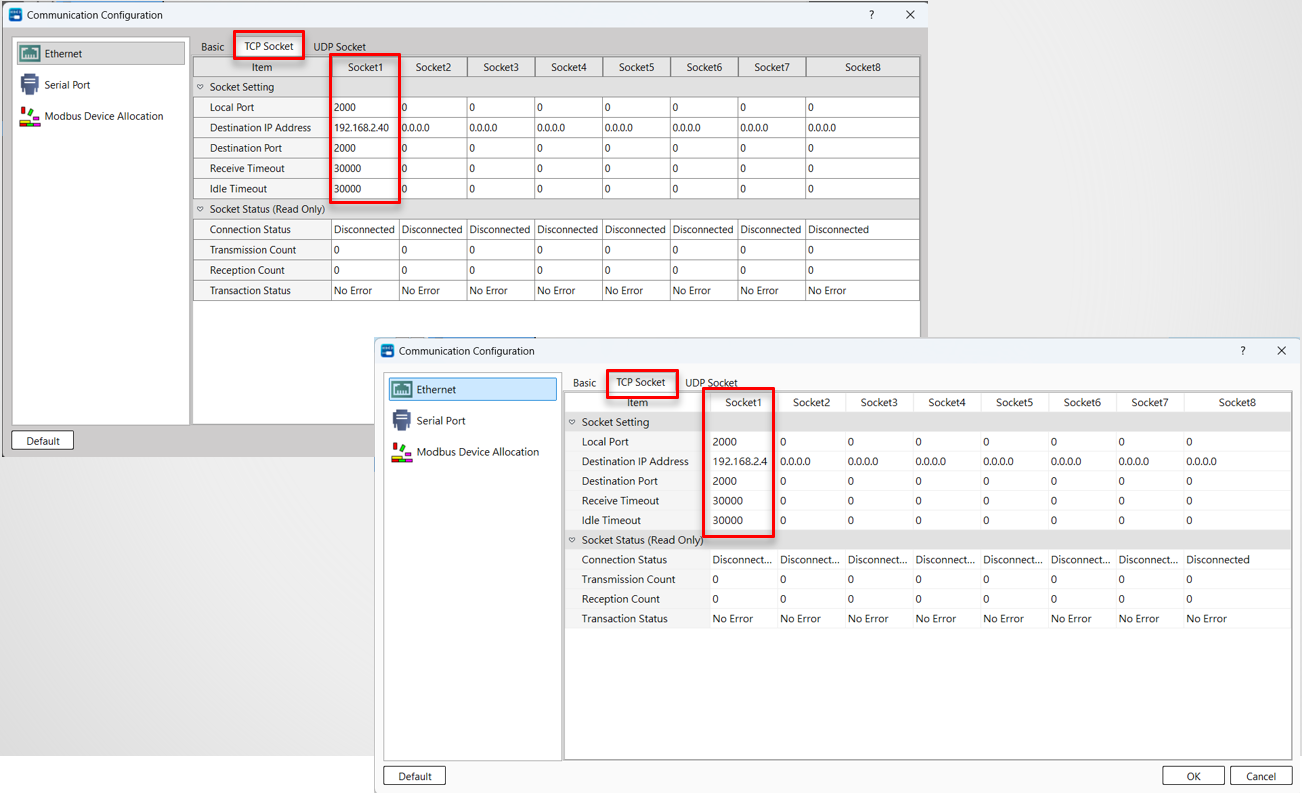
Set the Socket settings in the communication settings of both projects.
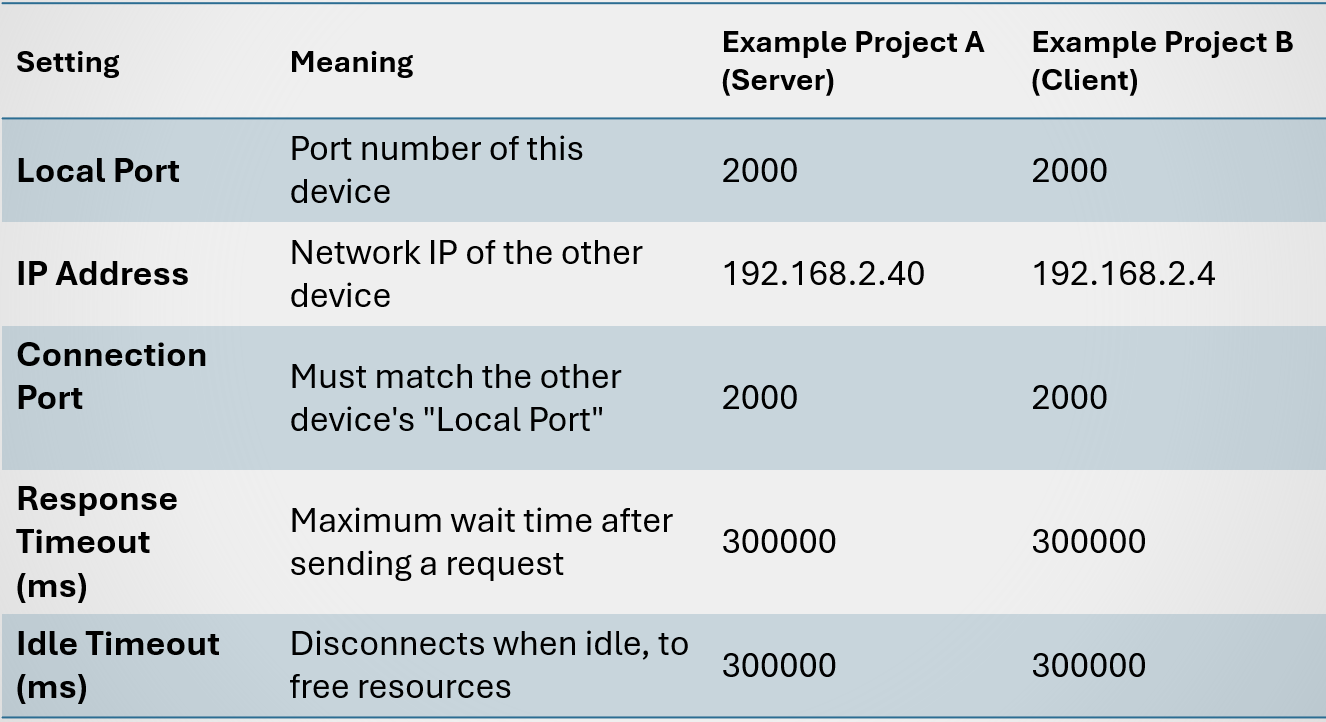
Program Execution Flowchart
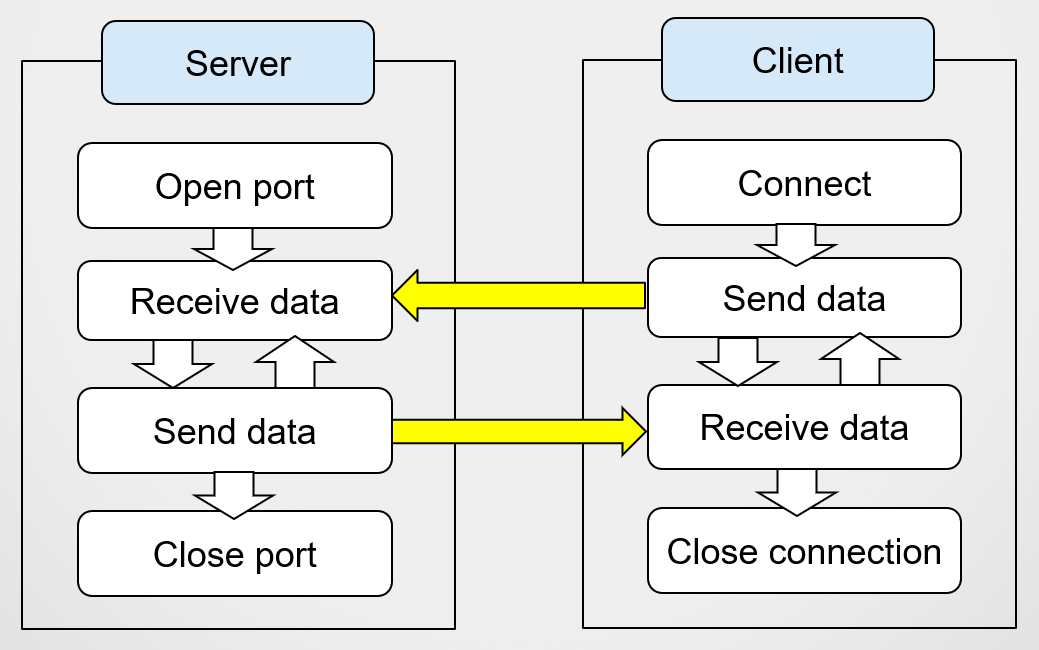
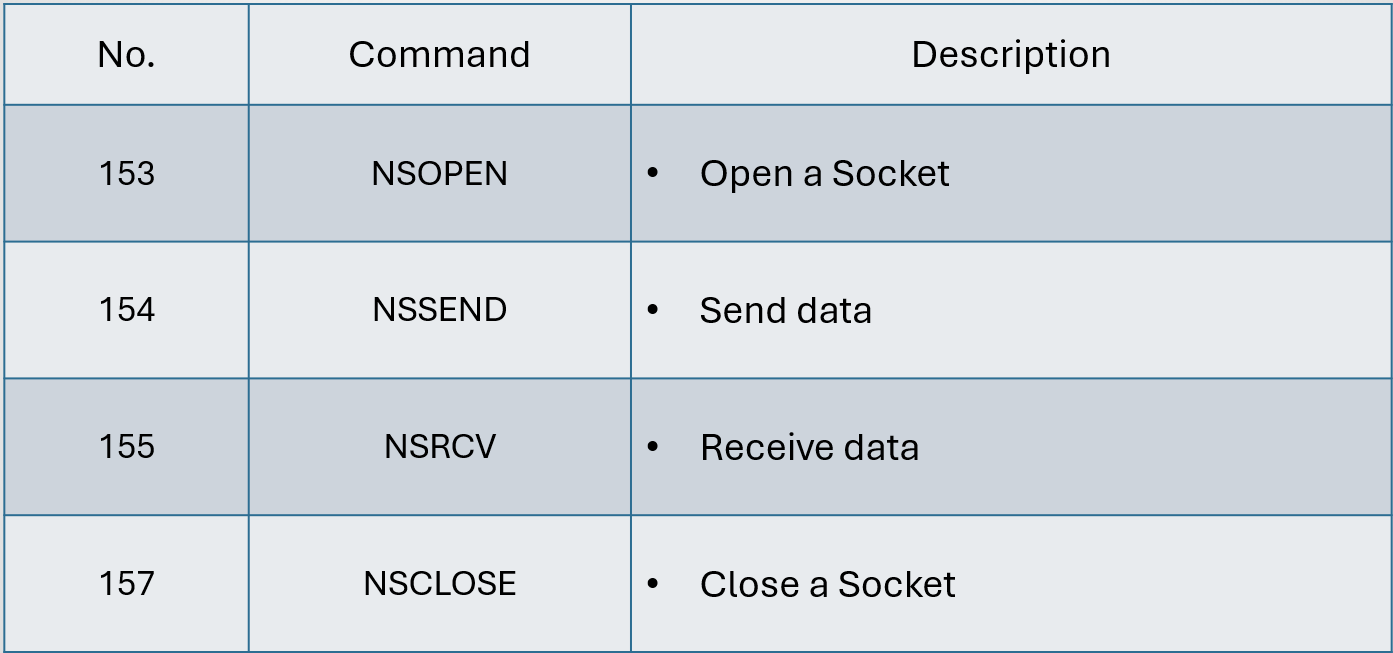
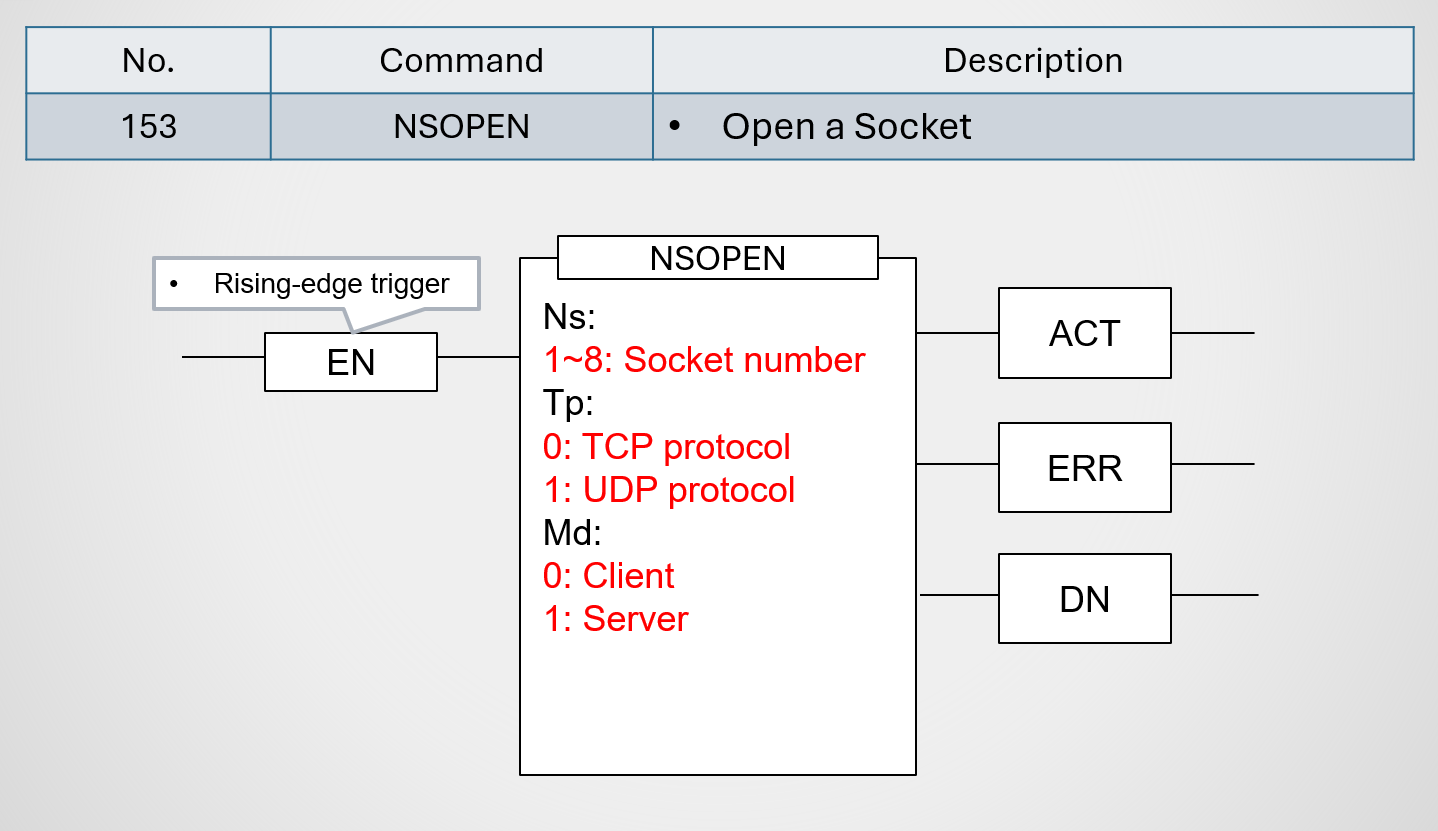
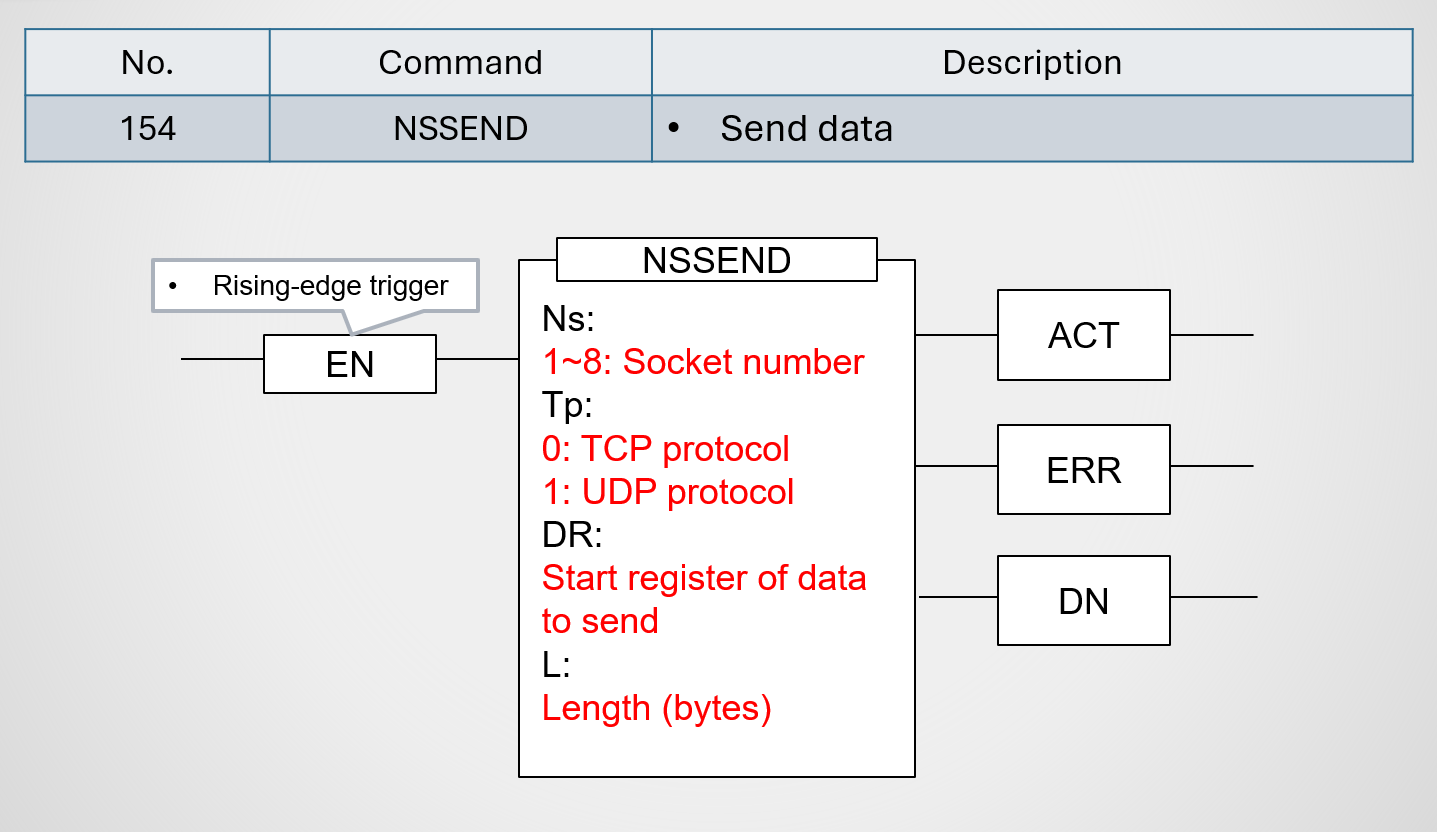
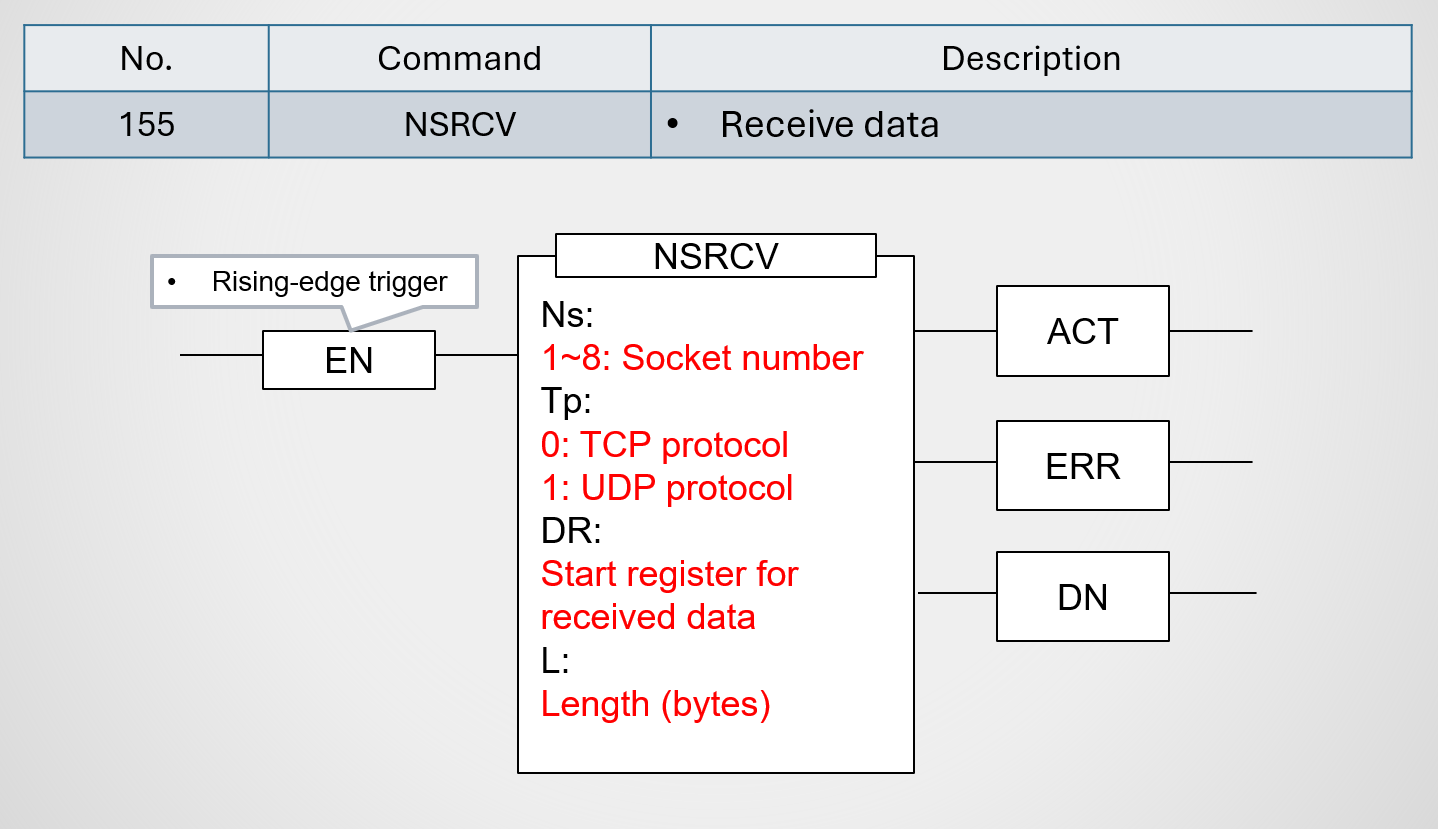
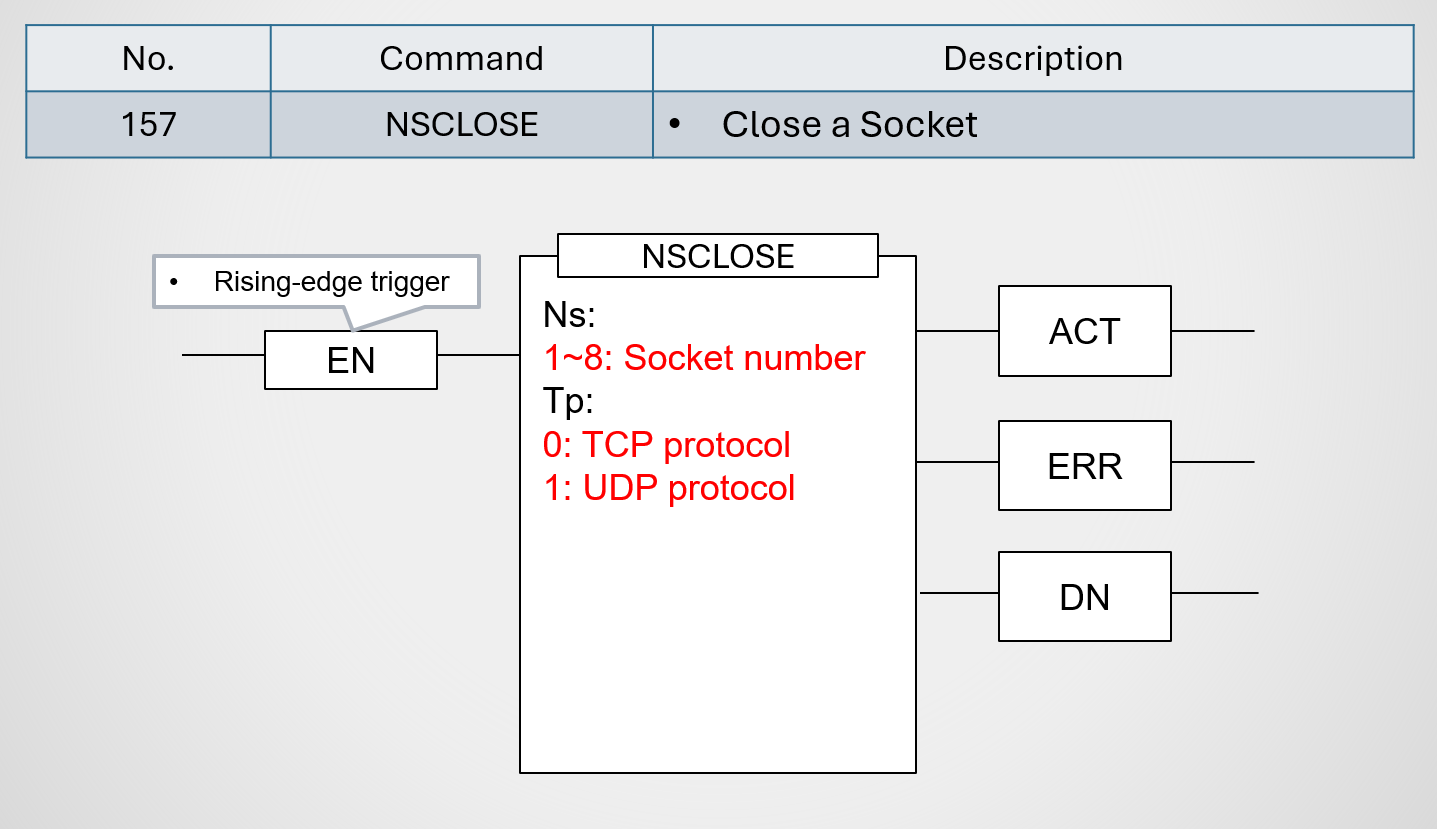
Socket Function
Tip: press ← → to switch chapters, Ctrl+K to search