1. Start pass through

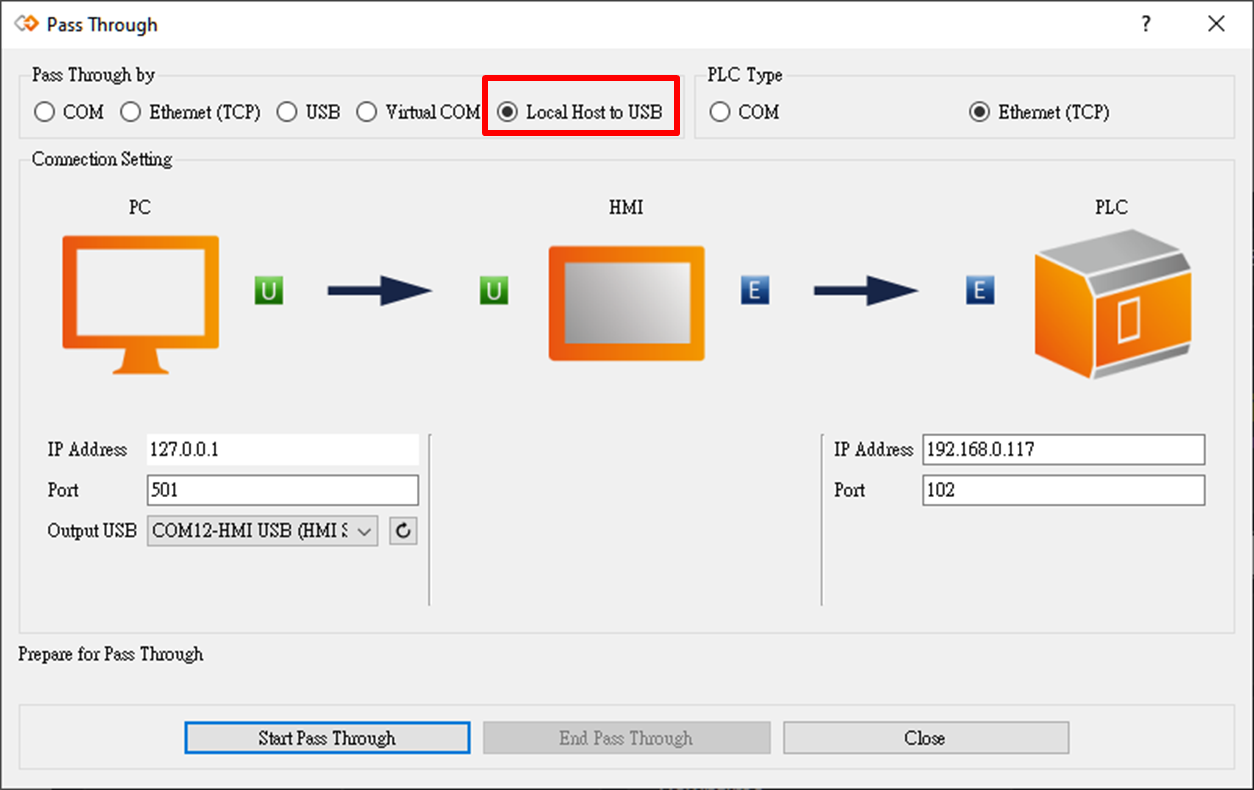
2. Choose “Local Host to USB”
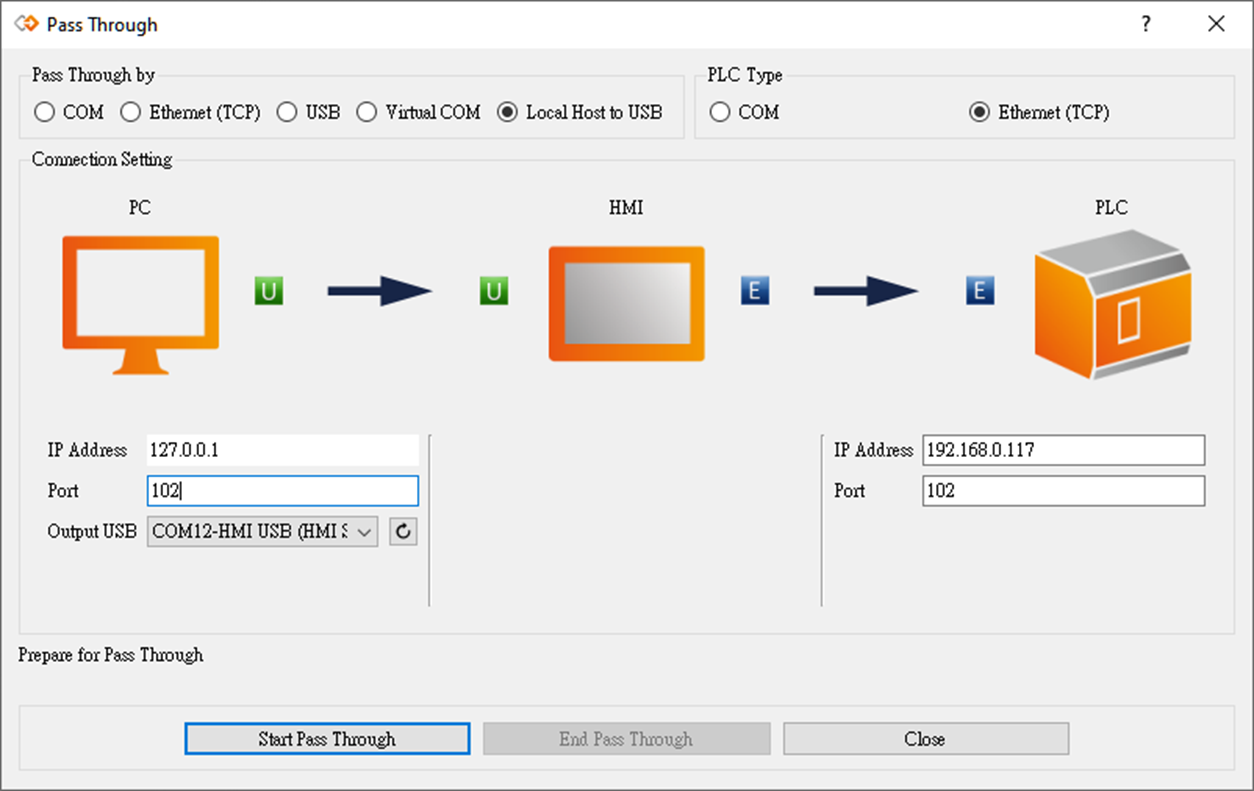
3. Fill in psaathrough setting
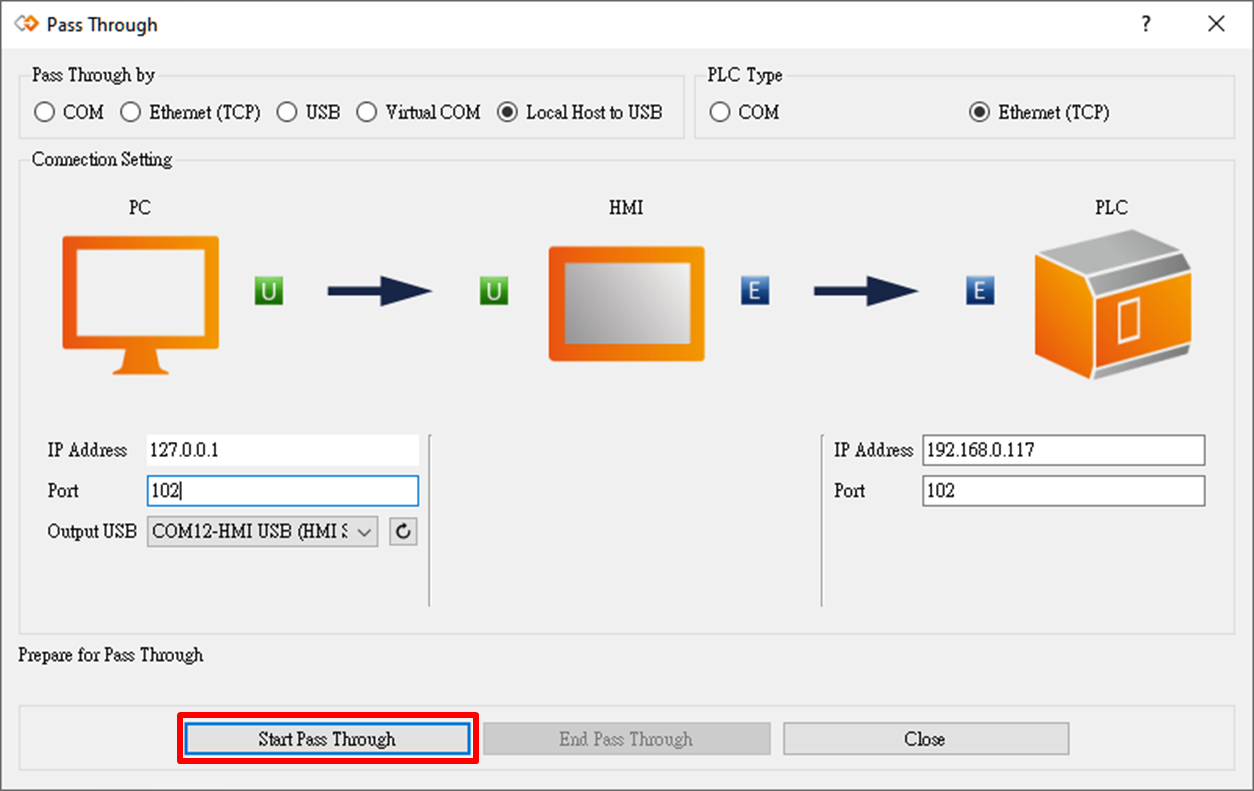
4. Press “Start Pass Through”
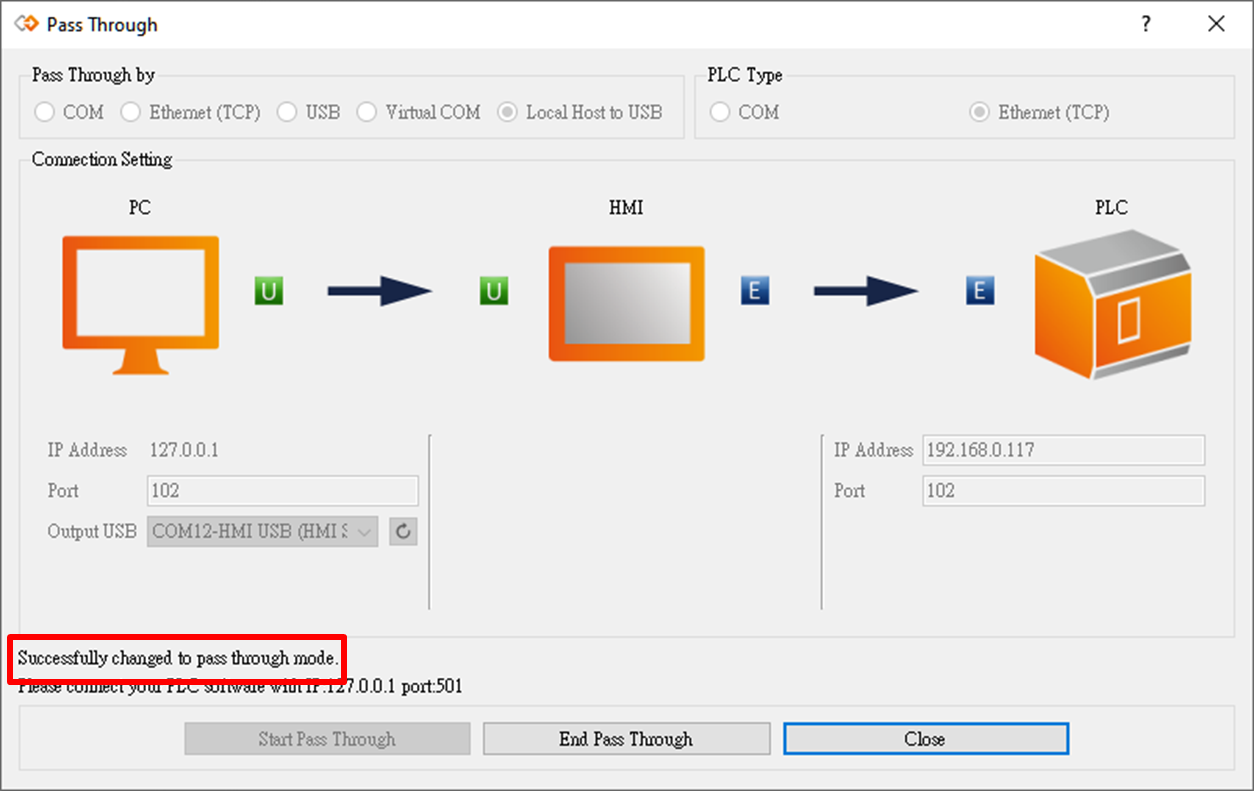
5. Check pass through mode
6. Open TIA Portal V16
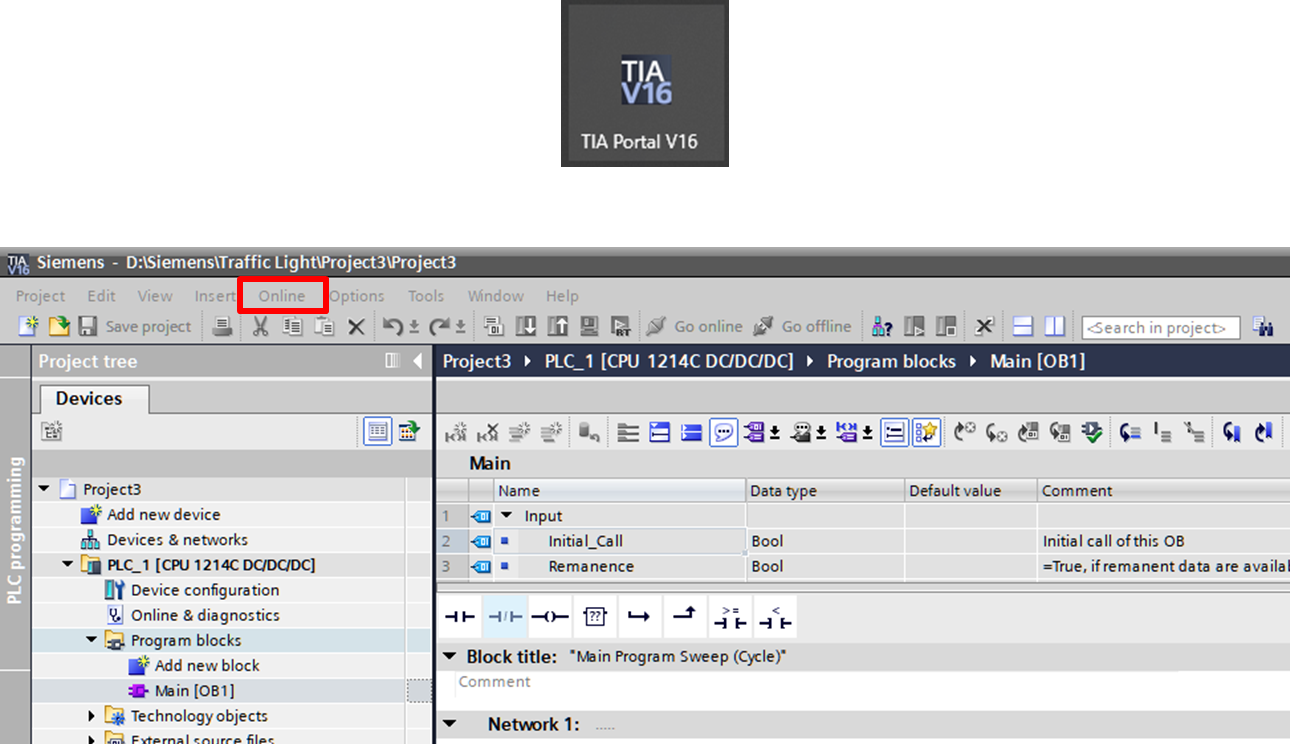
7. Go to “Go online” page
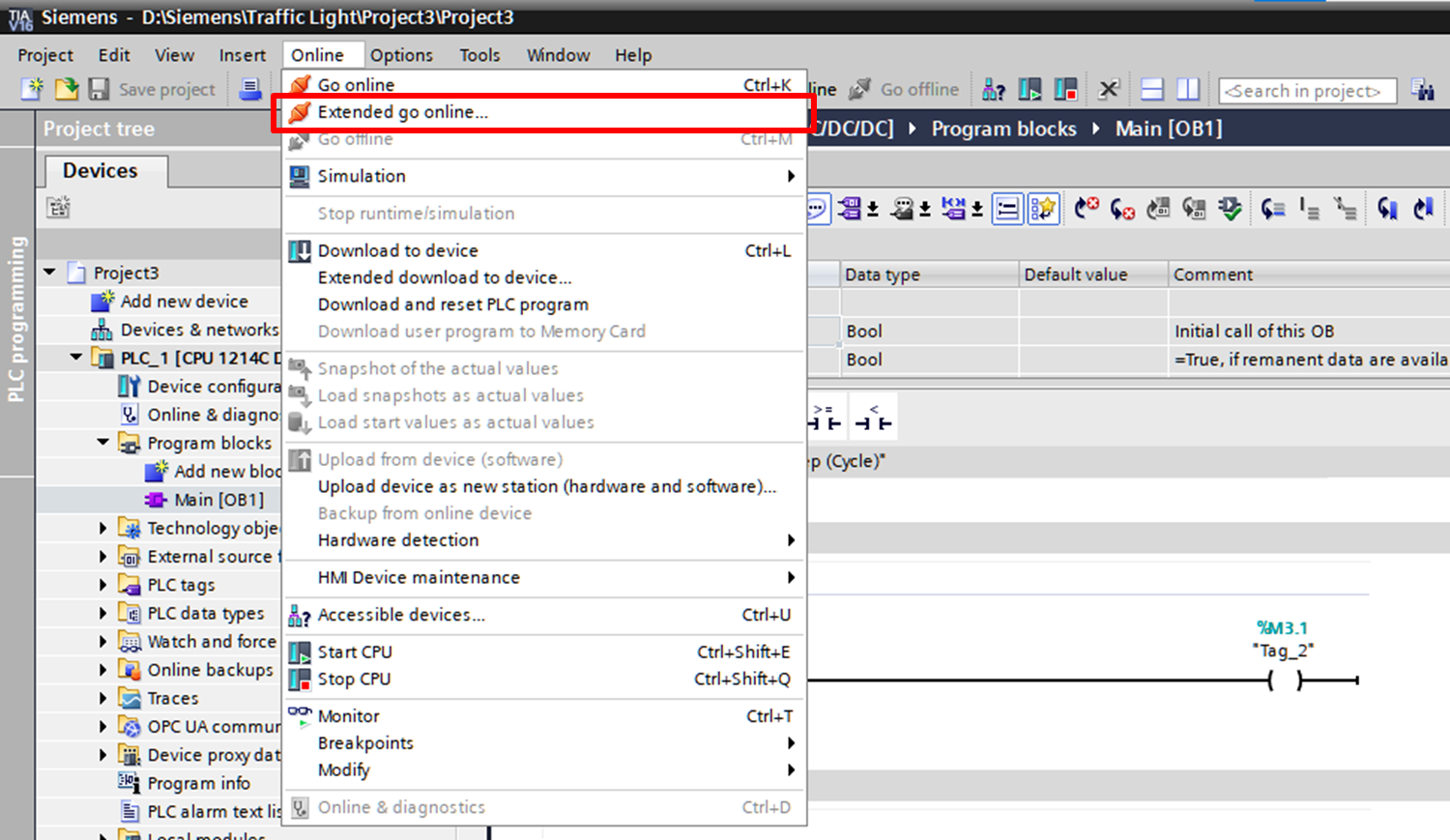
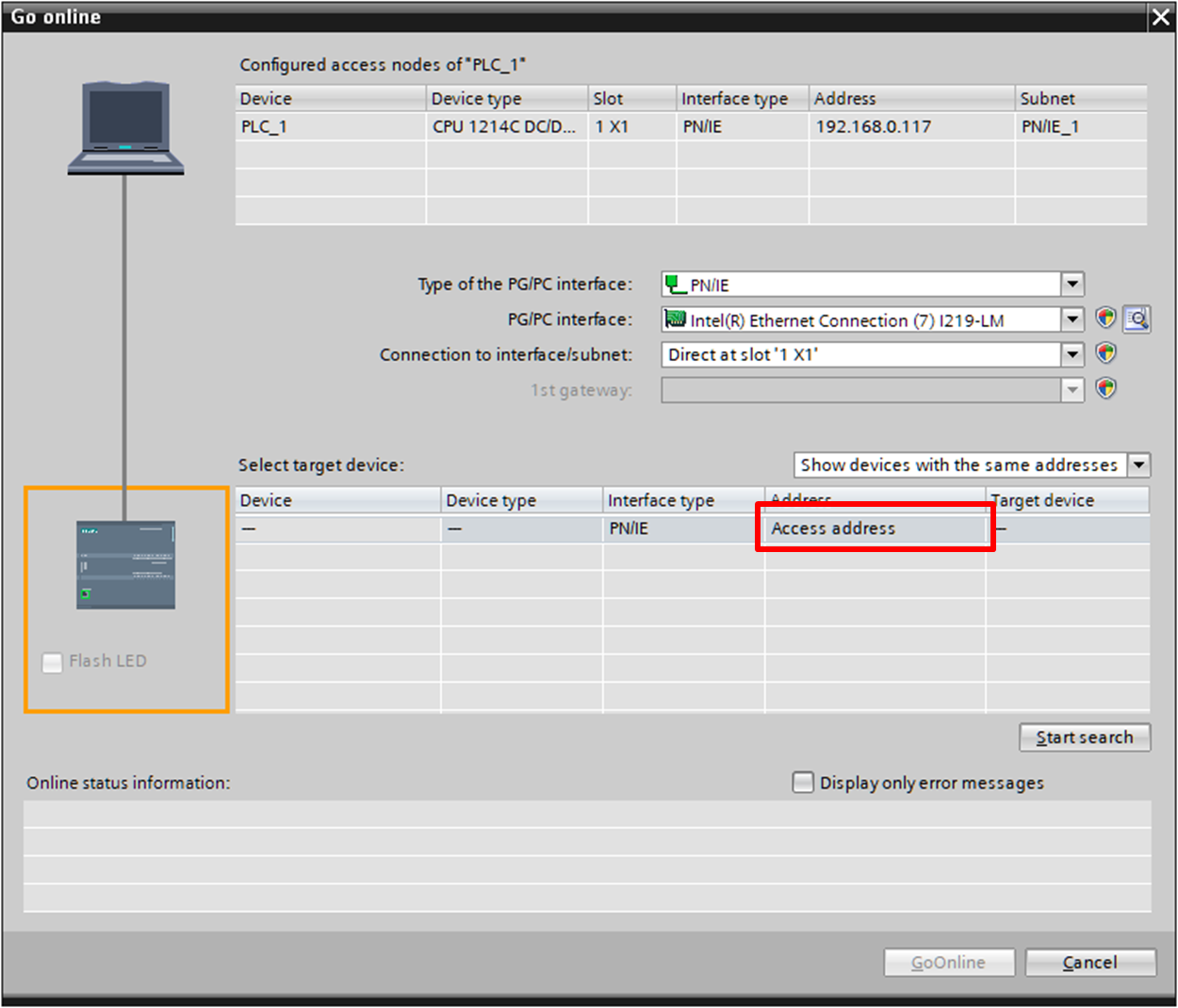
8. Press “Access address”
9. Type in “127.0.0.1”
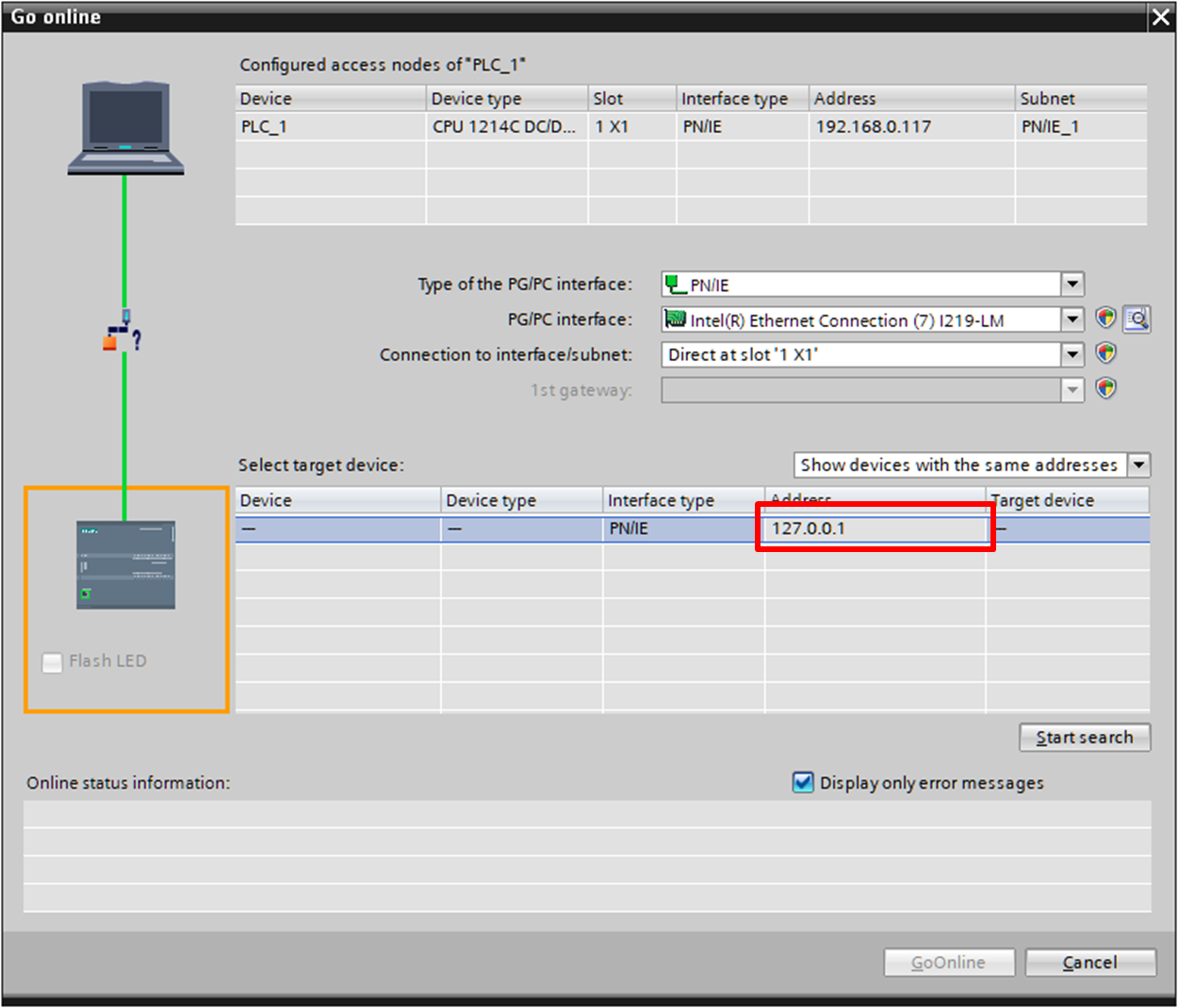
10. Press “Start search”
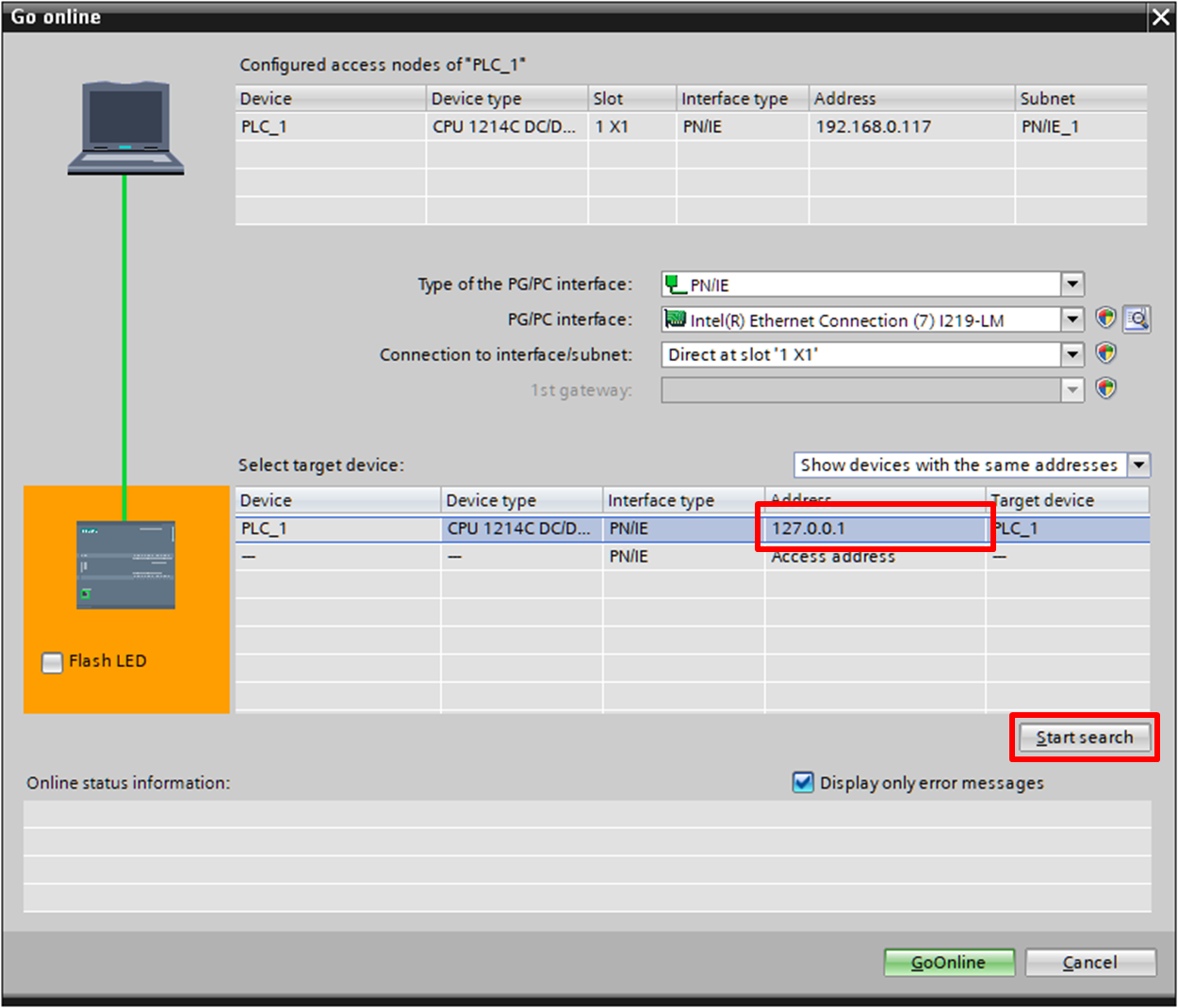
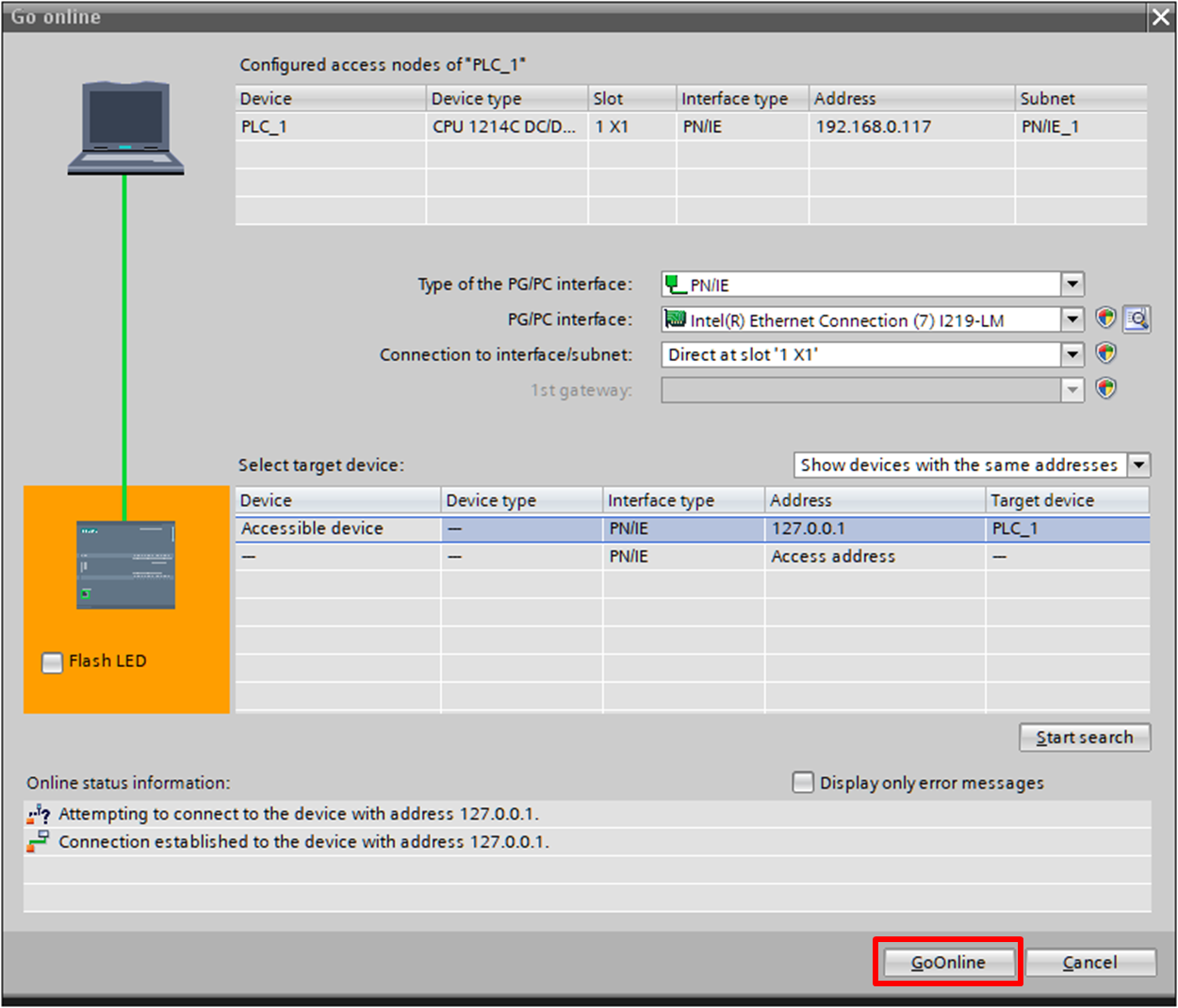
11. Press “Go online”
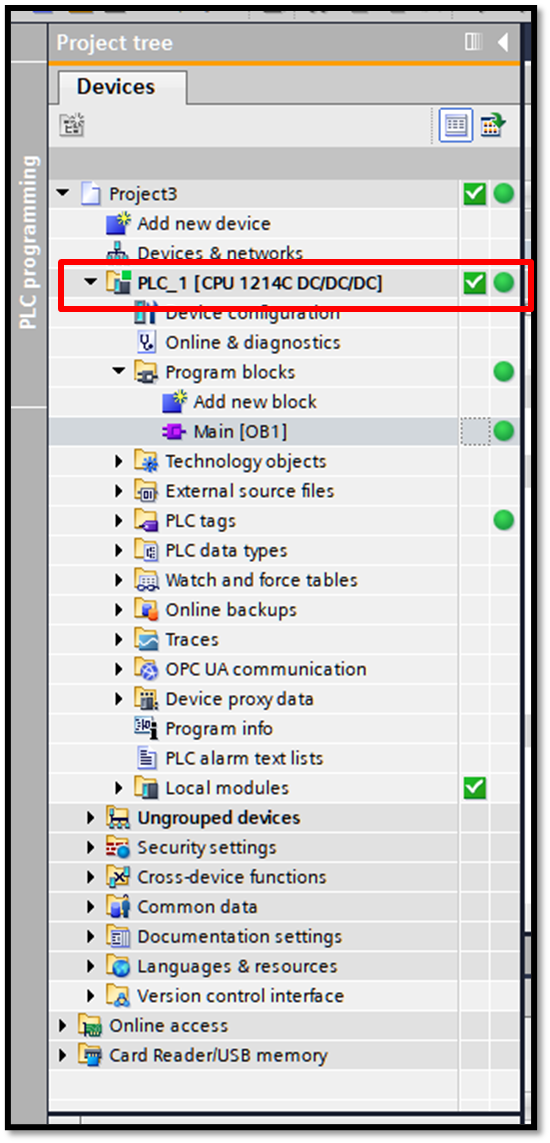
12. Pass through finished
Was this page helpful?
Thanks for your feedback!
Tip: press ← → to switch chapters, Ctrl+K to search