
FATEK P5 Series HMI and FvRT now offer full support for the BACnet protocol. Three new drivers are available: BACnet IP Client, BACnet IP Slave and BACnet MS/TP. With them, the P5 HMI can act as the operator interface that supervises HVAC, lighting and other building equipment, or as a field node that is monitored and controlled by a Building Management System (BMS). It connects to smart building systems without an extra gateway.
What Is BACnet?
BACnet (Building Automation and Control Networks) is an open data communication protocol created for building automation. In 1987, ASHRAE (the American Society of Heating, Refrigerating and Air-Conditioning Engineers) set up Committee 135 to develop a vendor-neutral protocol for building systems. BACnet was published as ANSI/ASHRAE Standard 135 in 1995 and became the international standard ISO 16484-5 in 2003. The committee keeps the standard up to date through continuous maintenance.
The main benefit of BACnet is interoperability. Controllers, sensors and supervisory systems from different manufacturers can exchange data on the same network, so building owners are not locked in to a single vendor. Today BACnet is used for HVAC, lighting, access control, fire and security systems, and energy management.
How BACnet Works: Objects, Properties and Services
- Objects – Each data point in a BACnet device is an object, such as an Analog Input (e.g. a temperature sensor), a Binary Output (e.g. a fan start/stop command), a Schedule or a Trend Log. The first edition of the standard defined 18 object types, and later revisions define more than 60.
- Properties – Each object is described by properties. Every object has an Object_Identifier, Object_Name and Object_Type, and the most commonly used property is Present_Value, which holds the live reading or command value.
- Services – Services are the requests that BACnet devices send to each other. Examples are ReadProperty and WriteProperty for data exchange, Who-Is / I-Am for device discovery, and services for alarms and events, file access and remote device management.
Key Applications
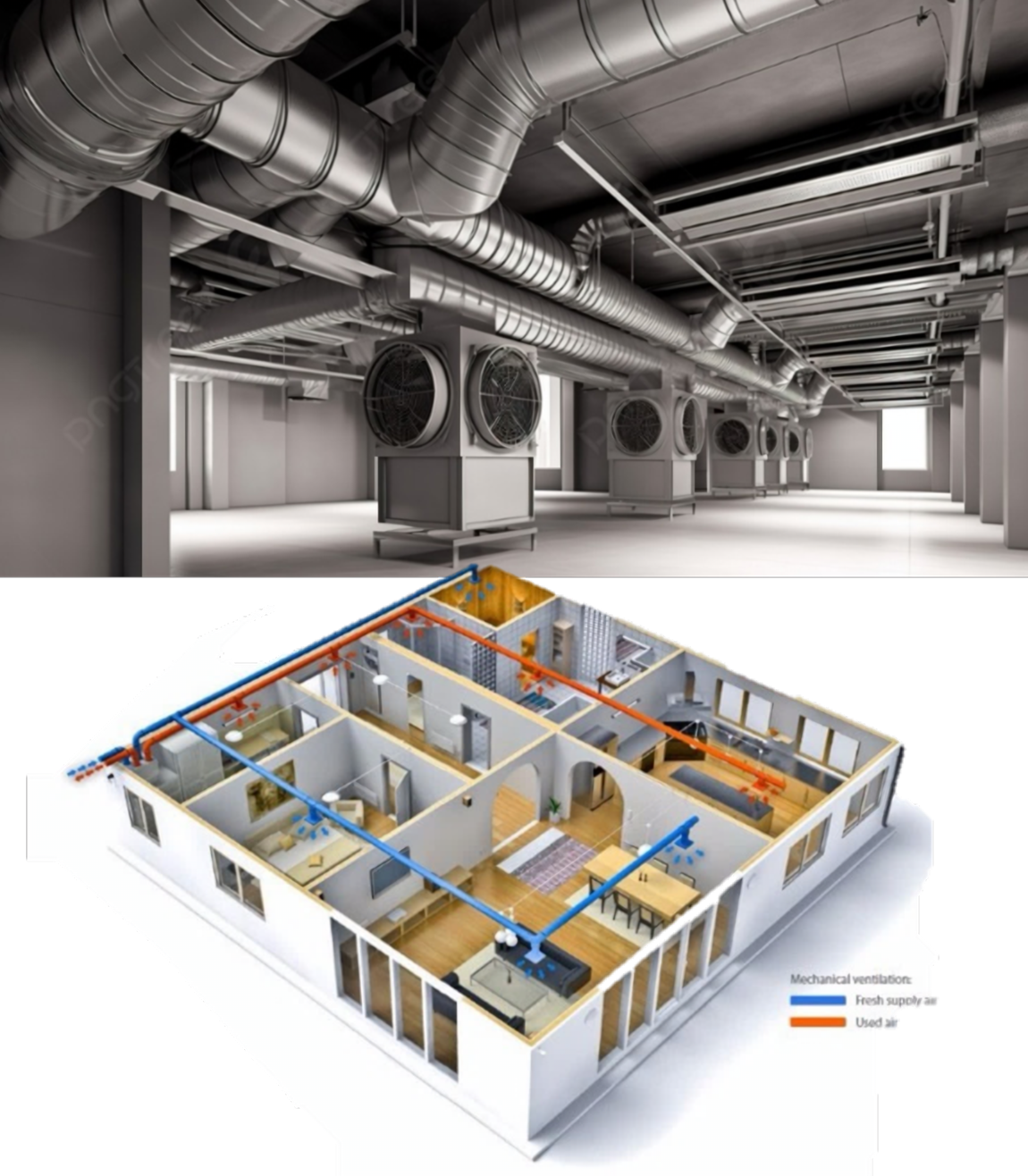
- Designed mainly for smart buildings and building automation
- Monitoring of HVAC, temperature, humidity, lighting, energy and equipment status
- Typical sites: factories, equipment rooms, data centers, hospitals, airports, schools and commercial office buildings
Three BACnet Drivers for Flexible Integration
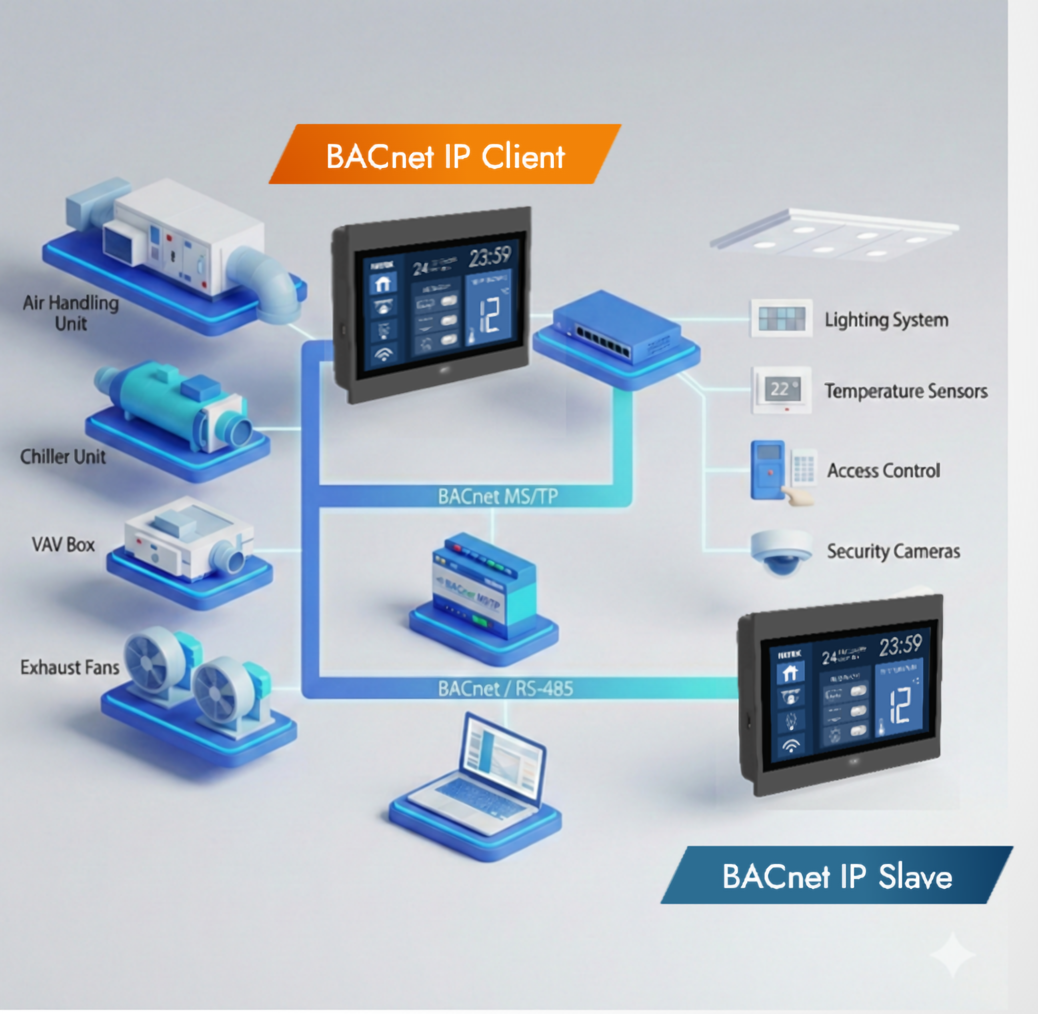
1. BACnet IP Client Driver
As the client, the P5 HMI actively reads from and writes to BACnet field devices over Ethernet. It works as the operator screen for the whole building system:
- Controls field equipment such as air handling units, chillers, lighting and VAV boxes
- Monitors and collects sensor values such as temperature, humidity and CO₂
- Sends commands to slave devices to coordinate automation across the whole building
2. BACnet IP Slave Driver (NEW)
As a server (slave) device, the P5 HMI makes its data available to upper-level systems. This lets a local machine or control panel join an existing BMS directly:
- Monitored and controlled by upper-level systems such as SCADA or BMS
- Acts as a field control node that executes commands from the master
- Collects and reports sensor values and equipment status
3. BACnet MS/TP Driver
BACnet MS/TP (Master-Slave/Token-Passing) runs over an RS-485 serial bus. It is a low-cost wiring option that is common in field-level building controllers. With the MS/TP driver, the P5 HMI is a good fit for:
- Local zone control
- Connecting legacy equipment that has only a serial port
- Specialized embedded integration
BACnet/IP vs. BACnet MS/TP
| BACnet/IP | BACnet MS/TP | |
|---|---|---|
| Physical layer | Ethernet | RS-485 serial |
| Transport | UDP/IP, default port 47808 (0xBAC0) | Token-passing serial bus |
| Typical speed | 10/100/1000 Mbps | 9,600 – 115,200 bps |
| Topology | Switched Ethernet network | Daisy-chain bus |
| Addressing | IP address + UDP port | MAC address (0–127 for masters) |
| Typical use | Supervisory systems, BMS workstations, IP controllers | Field controllers, VAV boxes, legacy equipment |
Integration Tips
- Use a unique Device Instance: Every BACnet device on the network needs its own Device Instance number (0 – 4,194,302).
- Open UDP port 47808: BACnet/IP uses UDP port 47808 by default. Make sure firewalls and VLAN settings allow this port between the HMI and the BACnet devices, and that both sides use the same port number.
- Plan for multiple subnets: Device discovery (Who-Is / I-Am) uses broadcast messages, which do not cross IP routers. When devices are on different subnets, a BBMD (BACnet Broadcast Management Device) is normally required.
- Match MS/TP serial settings: On an MS/TP bus, each device needs a unique MAC address, and all devices must use the same baud rate.
Supported Software Versions
The BACnet drivers are available from the following software versions:
| Protocol | Interface | Software Version | Remarks |
|---|---|---|---|
| BACnet IP | Ethernet | V1.6.78 V1.7.03 |
BACnet Honeywell |
| BACnet IP Slave | Ethernet | V1.6.93 V1.7.11 |
|
| BACnet MS/TP | Serial | V1.6.78 V1.7.03 |
Conclusion
BACnet is the common language of modern building automation. The FATEK P5 HMI can serve as the operator interface of a building control center, or as a field node managed by a BMS. With three drivers (BACnet IP Client, BACnet IP Slave and BACnet MS/TP), it covers new IP-based projects as well as upgrades of existing serial systems. To learn more about BACnet solutions, please contact FATEK or your local distributor.
Tip: press ← → to switch chapters, Ctrl+K to search