Realtime Data Chart
Click [Motion] → [Motion Network] → “Right mouse button” → [Realtime Data Chart] in project management row, or select [PLC] → [Realtime Data Chart] from the ribbon tag page, or select [PLC] → [Motion Network] → [Realtime Data Chart].
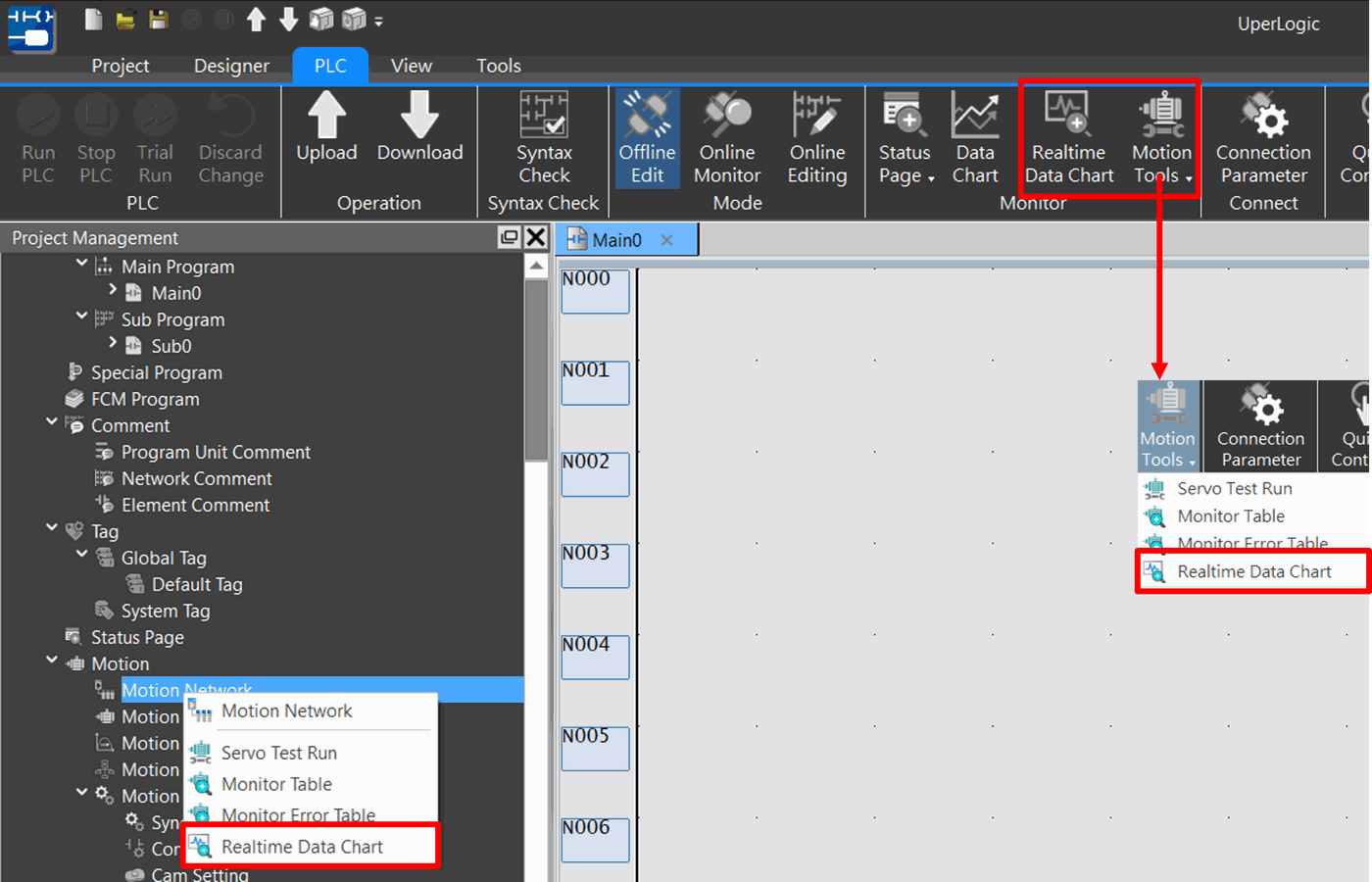
Fig. 171: Realtime Data Chart
Provided below is the window showing the opened Motion Realtime Data Chart.
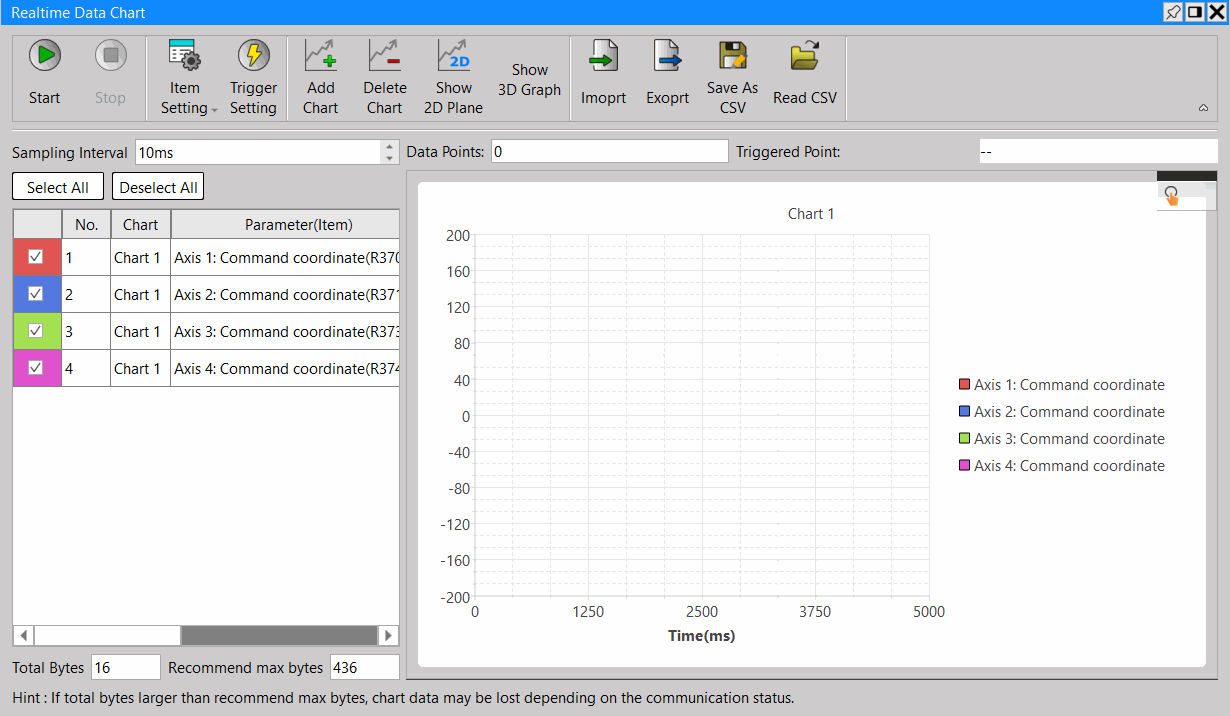
Fig. 173: Motion monitoring page
Was this page helpful?
Thanks for your feedback!
Tip: press ← → to switch chapters, Ctrl+K to search