The FATEK IoT App supports both Android and iOS platforms, providing iMonitor and iAccess services. The app will only display the purchased features.
|
Google Play |
https://play.google.com/store/apps/details?id=com.fatek.iot&pcampaignid=web_share |
|
App Store |
|
|
Alibaba Cloud |
6.1.1 【iMonitor】
Introduce
|
Item |
Describe |
|
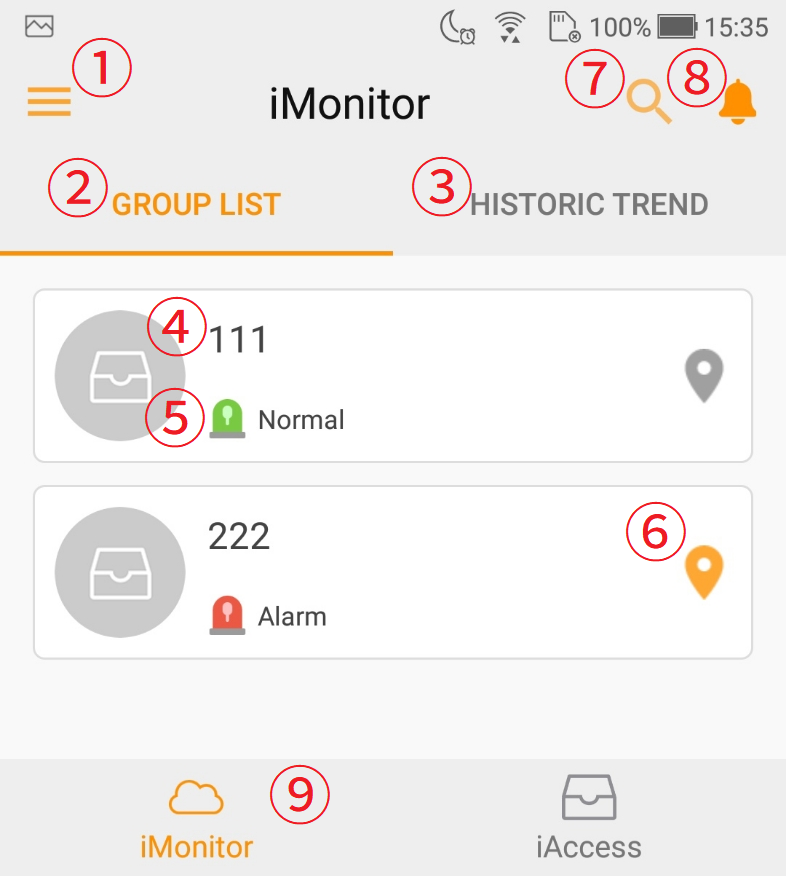
①Menu |
Click to expand the side settings page. |
|
②Group List |
Displays the configured groups. |
|
③Historical Trend |
Displays the configured historical trend chart, with customizable display time range. |
|
④Group Name |
Displays the name of the group. |
|
⑤Alarm Status |
Indicates whether the group has triggered alarms. |
|
⑥GPS |
Indicates if GPS is configured; if illuminated, can be clicked to switch to iLocation. |
|
⑦Search |
Allows input of keywords to search for groups. |
|
⑧Notifications |
Click to display notifications that have occurred. |
|
⑨Switch |
Click to switch between functions in use. |
|
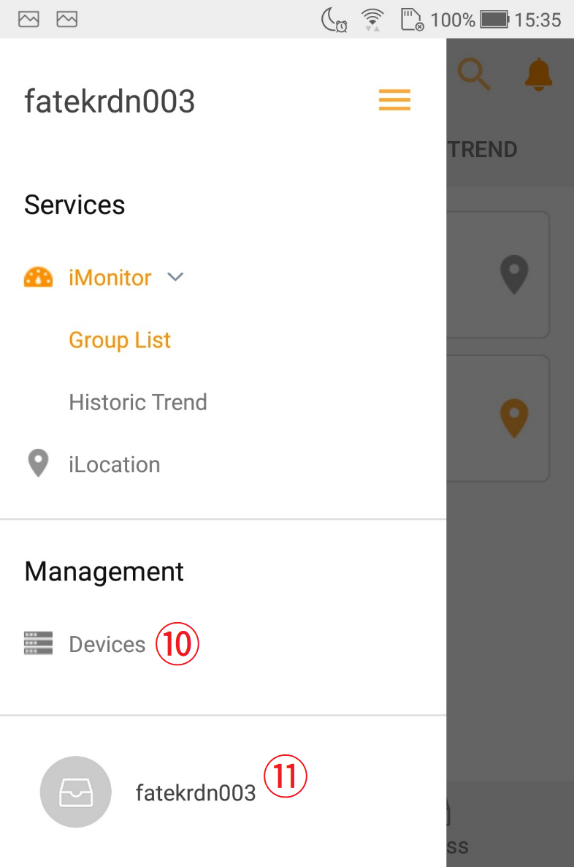
⑩Device |
Click to switch to the device library page, where devices can be add/edit/enable/disable. |
|
⑪Settings |
Click to switch to the account settings page, where Name/Password/Biometric can be modified, privacy policy and terms of service can be viewed, and the account can be logged out. |
6.1.2 【iAccess】
|
Item |
Describe |
|
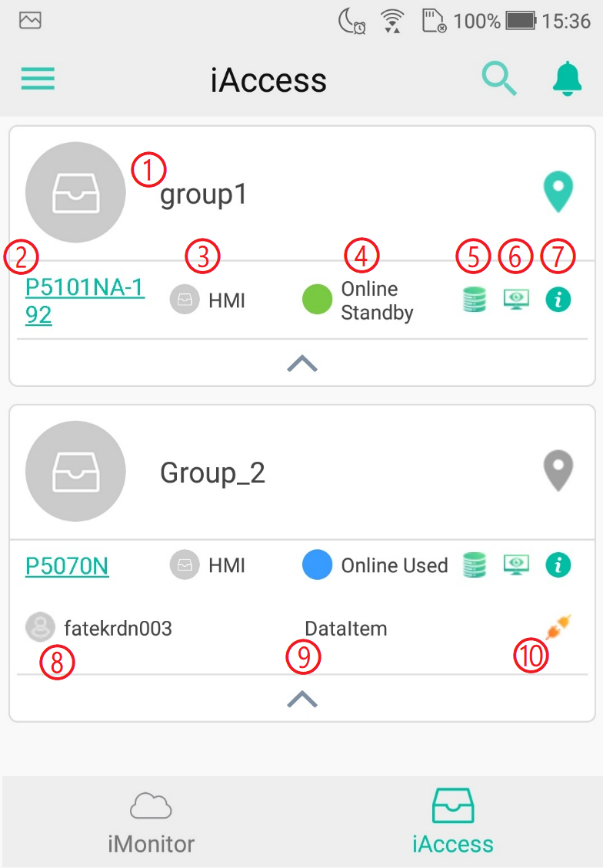
①Group Name |
Displays the name of the group. |
|
②Device Name |
Displays the name of the devices within the group; clicking will go to the DataItems page. |
|
③Device Type |
Displays the type of device. |
|
④Device Status |
Displays the status of the device; for example, if it is currently in use, it will show “Online Used.” |
|
⑤Data Items |
Clicking will switch to the Data Items page, where configured data items can be monitored. |
|
⑥iAccess Viewer |
Clicking will display the device’s screen. |
|
⑦Device Information |
Clicking will display information such as the device’s firmware version. |
|
⑧Connected Users |
If the device is currently being accessed, it will display the users who are connected. |
|
⑨Active Functionality |
If the device is currently being accessed, it will display the functionality being used by the user. |
|
⑩Force Disconnect |
A feature only available to project managers, which allows them to forcibly disconnect users from the device. |
Tip: press ← → to switch chapters, Ctrl+K to search