JOG Mode
This product provides Fun180 for the user to quickly complete the JOG function for the Servo.
The relevant description of Fun180 MFJog will be described below, and users can also learn about this Function through chapters 6-8.
|
Fun180. MFJog |
Parameter Description |
|
|
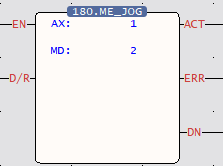
D/R = 1: CW / 0 = CCW ACT = 1: JOG is running ERR = 1: JOG error DN = 1: JOG running is done
AX: Axis No. MD: Mode 0 – Mode 3
Axis 1: JOG is running M10625 Axis 1: JOG running is done M10626 |
|
Motion Axis Setting |
Corresponding Diagram of Motion Axis Setting |
|
|
|
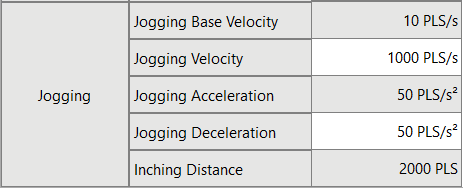
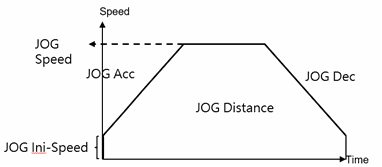
The Fun180 JOG comprises 4 kinds of modes for options, as below:
11-1 JOG Mode 0
- Function Description
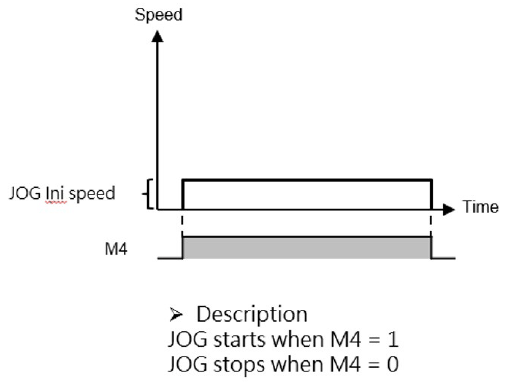
When EN of FUN180 = 1, it will move at the JOG initial speed set by the motion axis, until EN = 0 of FUN180, it will stop the servo operation immediately.
- Ladder Example
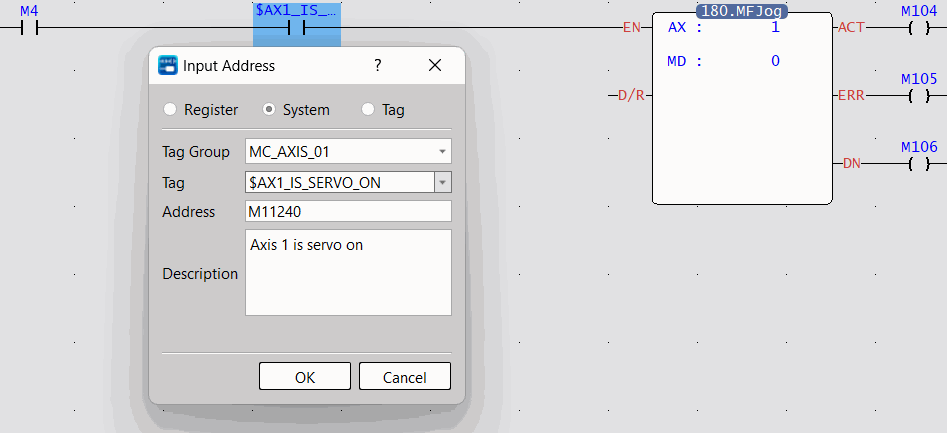
Note 1: It is recommended that users add a special register – SERVO_IS_ON as shown in the figure above before using the function to reduce unnecessary errors that may occur when using the JOG function.
Note 2: The AXIS of the label needs to be the same as the AX of the function to achieve the protection effect.
- Operation Diagram
11-2 JOG Mode 1
- Function Description
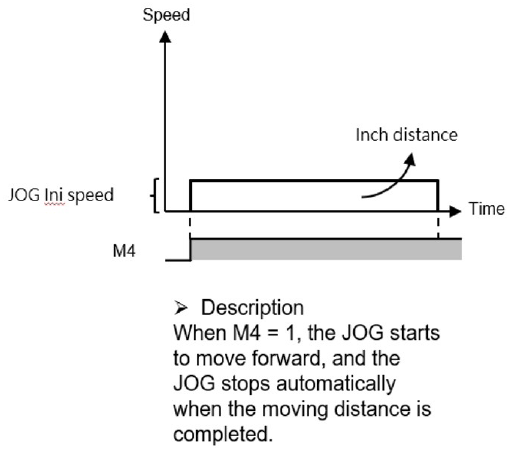
When EN= 1 of FUN180, it will move at the JOG start speed set by the motion axis until the JOG distance set by the motion axis is executed, and the servo operation will stop immediately. - Ladder Example
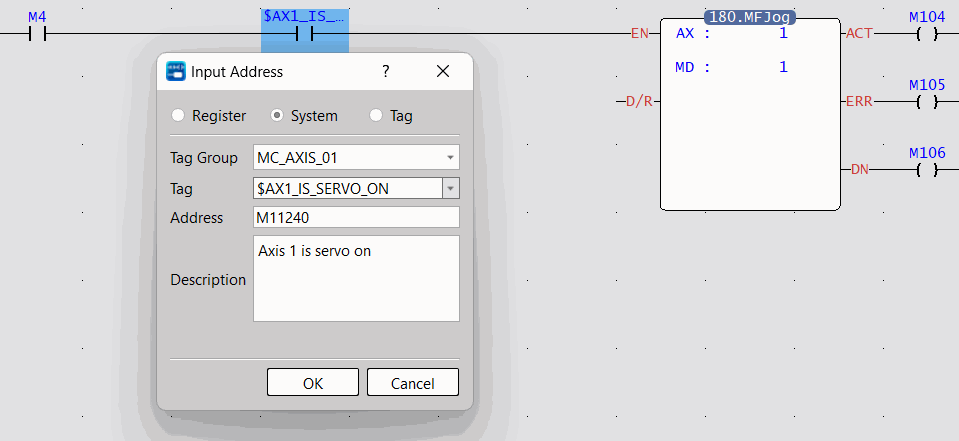
Note 1: It is recommended that users add a special register – SERVO_IS_ON as shown in the figure above before using the function to reduce unnecessary errors that may occur when using the JOG function.
Note 2: The AXIS of the label needs to be the same as the AX of the function to achieve the protection effect.
- Operation Diagram
11-3 JOG Mode 2
- Function Description
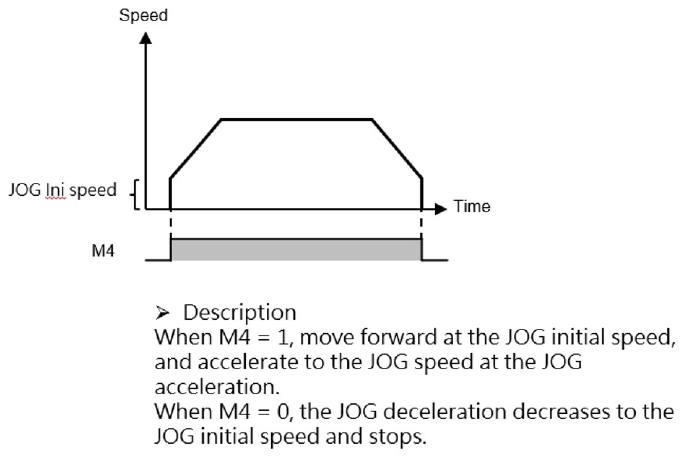
When EN = 1 of FUN180, it will advance from the JOG initial speed set by the motion axis, and accelerate to the JOG speed set by the motion axis with the JOG acceleration set by the motion axis, until EN=0 of FUN180, it will start at the JOG speed set by the motion axis after the set JOG deceleration decreases to the set JOG start speed of the motion axis, the servo operation will stop immediately.
- Ladder Example
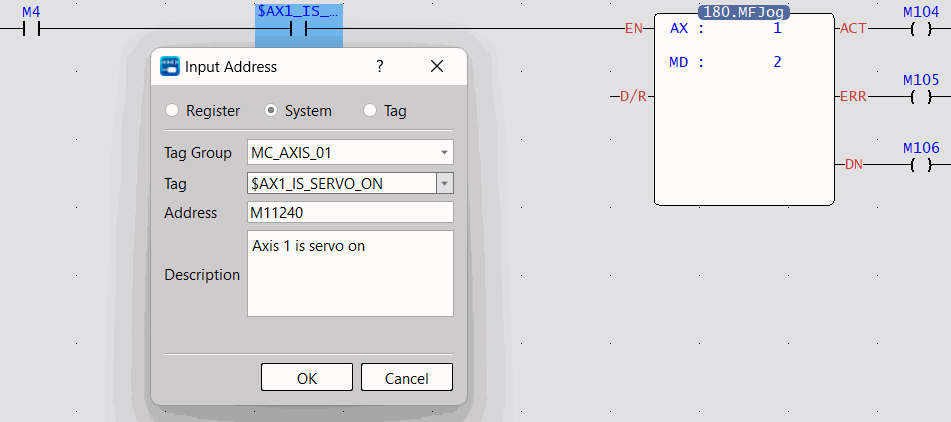
Note 1: It is recommended that users add a special register – SERVO_IS_ON as shown in the figure above before using the function to reduce unnecessary errors that may occur when using the JOG function.
Note 2: The AXIS of the label needs to be the same as the AX of the function to achieve the protection effect.
- Operation Diagram
11-4 JOG Mode 3
- Function Descripition
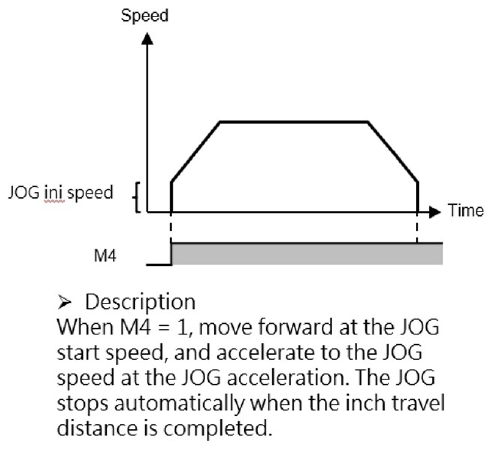
When EN of FUN180 = 1, it will move forward from the JOG initial speed set by the motion axis, and accelerate to the JOG speed set by the motion axis with the JOG acceleration set by the motion axis until the JOG distance set by the motion axis is executed. After the JOG deceleration set by the motion axis decreases to the JOG start speed set by the motion axis, the servo will stop immediately.
- Ladder Exxample
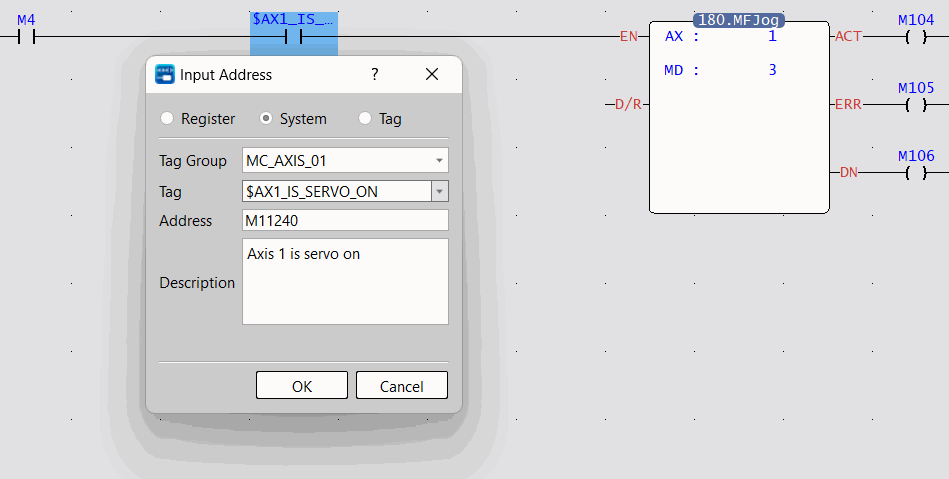
Note 1: It is recommended that users add a special register – SERVO_IS_ON as shown in the figure above before using the function to reduce unnecessary errors that may occur when using the JOG function.
Note 2: The AXIS of the label needs to be the same as the AX of the function to achieve the protection effect.
- Operation Diagram
Tip: press ← → to switch chapters, Ctrl+K to search