Manual for the FATEK M-Series PLC Software
Preface
This Manual provides important information related to the use of the FATEK M-Series PLC CPU Module.
Before using the product, be sure to read this Manual carefully in order to get familiar with and understand its content. Should you have any questions or comments, please contact the FATEK distributor for detailed warranty services and responsibility limit.
|
Warranty Service |
|
The warranty period provided by FATEK for its product shall last for the period as agreed starting from the date when the product is sold and it will be offered under the pre-conditions that there are no defects in product use. Please contact FATEK or the local distributor in the event failure occurs on any of the FATEK products for reasons not caused by man-made factors during the aforesaid warranty period. However, the failure due to any of the following reasons shall not be covered by the warranty services: 1. The malfunction is due to the user’s failure in following the conditions, environment, operations, installation and correct wiring method specified in this Manual. 2. The malfunction is due to the user’s failure in following the operating method originally designed. 3. The malfunction is not due to the reasons of the product. 4. The malfunction is not caused by the modification and the maintenance executed by FATEK. 5. The malfunction is caused by other types of force majeure factors such as natural disasters or man-made negligence. In the meantime, the aforesaid warranty services shall be limited to the FATEK product only and the losses resulting from the product failure will not be covered in the warranty scope. |
|
Limit of responsibilities |
|
Unless it has been confirmed that the product is properly used, stored, installed and serviced and that it has not been contaminated, abused, misused or improperly modified or repaired as being analyzed by FATEK; otherwise, FATEK shall not be liable for any product-related particular damage, consequential damage or derivative damage or even revenue loss or commercial loss that resulted from whatever means. |
Precautions on Using the Product
|
Compliance with the application-related conditions |
|
The user shall evaluate the suitability of FATEK product and shall install the product in the well-designed equipment or system. The user needs to check if the system, machinery or device currently used is compatible with the FATEK product. If the user fails to confirm the compatibility or the suitability, then FATEK shall not be liable for the suitability of the product. When required by the customer, FATEK shall provide correlated third party certification to define the value rating and the application restrictions that will be applicable for the product. However, the aforesaid certification message shall not be considered as sufficient to determine the suitability of the FATEK product, the final product, the machine, the system and other applications or relevant combinations. Described below are certain applications that should be cautiously treated by the user. In spite of this, the content described below shall neither be considered as having included all of the intended product purposes nor suggesting that all of the following purposes shall be entirely suitable for the product. For example, outdoors use, use in an area subjected to potential chemical contamination or electrical interference or used under conditions or functions not mentioned in this Manual or used with the system, machine and equipment that may create risks to life or properties. Before working with the product, the user will be required to check if the entire system is marked with a hazard sign and shall select the design that can ensure the safety such as the backup design, etc. Otherwise, the user shall not be allowed to use the product in the application that will present personnel and the property safety concerns. In no event shall FATEK be liable for the specifications, statutory regulations or restrictions that will be used by the customer in the product combination or the product operations. When using the product, FATEK shall not be liable for the programs edited by the user or the resulting consequences. |
Disclaimers
|
Dimensions and weight |
|
The dimensions and the weight specified in the manual are nominal values only. Even if provided with the tolerance, they cannot be used in the manufacturing purposes. |
|
Performance data |
|
The data specified in this Manual mean that the performance data obtained under FATEK’s test conditions are provided for the user to confirm its compliance only. Therefore, the user is also required to consider the actual application conditions. Therefore, actual performance shall be defined according to the content of the guarantee and the limit of responsibilities established by FATEK. |
|
Errors and negligence |
|
The content of this Manual is provided through careful checking process and is considered as correct. However, FATEK shall not be liable for the errors or the negligence that may be found in the text, printing content and proofreading. |
|
Change of specifications |
|
The product specifications and accessories may be subject to change along with the technical improvement or other reasons. In the event that the published specifications or performance need to be changed or where significant structural change is required, FATEK will change the model number of the product accordingly. If certain specifications of the product have changed, then FATEK will not give the notice under the following situation: when it is required to use a special model number or create particular specifications in order to support the customer’s application according to the instructions given by the customer. To confirm actual specifications of the product to be purchased, please contact the local FATEK distributor. |
Precautions for Safety
Signs and meaning of safety precautions
The following signs will be used in this Manual in order to provide precautions that will be required for using the M-Series PLC safely. These precautions are extremely important for using the product safely. Please read the safety precautions carefully in order to get familiar with and understand the content and the meaning of the aforesaid instructions.
|
|
Warning |
Means a potentially dangerous situation that will result in death or serious injury if not avoided. In the meantime, it may also lead to serious property losses. |

|
|
Caution |
Means a potentially dangerous situation that may result in minor or medium level injury or property losses if not avoided. |

|
|
Means operations that must not be executed. |
|
|
Means operations that must be executed. |
|
|
Means general precautions. |
|
|
Means the precautions relating to hot surfaces. |
|
|
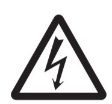
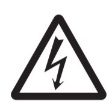
Means the precautions related to the wiring, grounding and electrocution of the electrical system. |




|
Warning |
|
|
Do not attempt to dismantle any module or touch the internal side of the module when it is under energized status or it may lead to electrocution injury. |
|
|
Do not attempt to touch any terminal or terminal board when the module is under energized status, or it may lead to electrocution injury. |
|
|
To ensure the system safety in order to avoid abnormal actions that may be caused by man-made external factors or false actions resulting from the faulty PLC, it is required to install the following safety measures in the external circuit (not within the PLC procedure); otherwise, it may lead to serious accident. The externally controlled circuit must be provided with emergency stop switch, interlocking circuit, limit switch and similar safety measures. The PLC will stop outputting the signals when encountering major failure alarm during the operations. However, the errors in the I/O controller and the I/O register as well as other undetectable errors will still trigger unexpected actions. To deal with the aforesaid errors, you are required to install external safety measures to protect the system safety. If the output relay is jammed, burnt or if the output transistor is damaged, then the PLC may still maintain its output at the ON or OFF status. To solve the aforesaid issues, it is required to install external safety measures to protect the system safety. By installing the corresponding safety measures in the system and the equipment, it allows you to maintain the safety of the entire system in spite of the fact that communication errors or false actions have occurred during the operating process. |
|
|
The user must take corresponding failure preventive measures in order to ensure safety when the signal line is damaged or when the power is instantly disconnected or when the signal is wrong, missing or abnormal as may be caused by other reasons. If failing to taking the appropriate measures, it may lead to improper operations that may result in serious accidents. |
|



|
Precautions |
|
|
Do not touch the power module when the PLC is under energized status or when the power source is disconnected. At this time, the power module might still present extremely high temperature that can cause a scorching injury. |
|
|
When connecting with the terminal board of the power module, the cable should be secured with the appropriately sized Ferrule. If the cable is loose, it may lead to burning or the failure of the power module. |
|
|
The online editing shall be allowed only after confirming that the extended PLC cycle duration will not result in any adverse impact or the system may not be able to read the input signal. |
|
|
After confirming that the I/O terminal is safe, you may transmit the required parameters to other terminals such as PLC setting, I/O table and I/O register data, etc. Otherwise, it may lead to unexpected actions if transmitting or modifying the aforesaid data before that. |
|
|
Please be sure to use certified power supply with SELV output or certified power supply providing double insulation evaluated by UL60950-1, UL62368-1, or UL61010-1 and UL61010-2-201 standards. |
|





Precautions for Use
When using the M-Series PLC, please observe the precautions provided below.
Using the power
- Please use the voltage specified in the Manual. Incorrect voltage will lead to false action or burning damage to the equipment.
- If the number of the module being connected exceeds the current rating of the power module, you may not be able to start the CPU module or other modules.
- Please use the designated power source and then supply the power according to the specified voltage and frequency rating. Special attention should also be given to the location subjected to unsteady power supply, as incorrect power supply may result in false action.
- Before starting any of the following operations, be sure to disconnect the PLC power; or it may lead to false action or electrocution injury.
(1) When installing or dismantling power module, I/O module, CPU module or any other type of module.
(2) When connecting cables or executing the system wiring.
(3) When connecting or disconnecting the connector.
- When using the power module, be sure to observe following precautions.
(1) The voltage applied at the equipment output point or the connected load shall not be higher than the rated specifications established for the power module.
(2) If it is required to put aside the power module for over 3 months, it shall be stored in a cool and dry location in order to maintain its function at normal status.
(3) If the power module is improperly installed, it will result in the accumulation of heat as to cause the aging or the damage of the component within. Therefore, it shall be properly connected and you are also required to use the standard installation method.
Installation
- Do not install the PLC at the location near a high frequency noise interfering source.
- Confirm that the terminal board, the connector, the memory card, the peripheral communication wires and other buckle-mounted devices are latched in position. Improper latching will result in false action.
- After connecting to the adjacent module, the buckle at the top or the bottom must be securely locked (i.e., properly latched). If failing to lock the buckle tightly, the module may not be able to achieve the intended function.
Wiring
- Please follow the instructions provided in the Manual in order to execute the wiring operations correctly.
- Before connecting the power, please check the setting status of all wires and switches. Incorrect wiring may result in burning damage to the equipment.
- After checking the installation position, you may start installing the terminal board and the connector.
- During the wiring process, the label should be tagged on the module. If you tear off the label, foreign mattes may get into the module as to cause a false action.
- To ensure normal heat dissipating function, please tear off the label after completing the wiring operations. If retaining the label, it may lead to false action.
- Please use an EU-standard terminal to execute the wiring operations. Do not connect the terminal with bare stranded wires. The aging or the breaking of wires may result in burning damage to the equipment.
- The voltage applied to the input module shall not be higher than the input voltage rating or it may result in burning damage to the equipment.
- The voltage or the load applied to the output module shall not be higher than the maximum switch capacity. The over-voltage or the overload may result in burning damage of the equipment.
- Do not drag or bend the cable excessively. Such action may cause the breaking of the cable.
- Do not place any objects on the cable or other type of wires or it may cause the breaking of the cable.
- Please set the grounding wire correctly for the power module and communication port to avoid communication error and equipment malfunction caused by noise interference.
- It is recommended to use M series dedicated AC power modules to supply power to MPLC related modules.
- It is recommended to use twisted-pair shielded cables for communication cables and ground them properly.
Operating
- Before supplying power to the MPLC to start the operations, ensure that the setting of the data register is correct without any mistakes.
- Before executing any of the following tasks, confirm that it will not bring about any adverse impact on the system; otherwise, it may result in unexpected action.
(1) When changing the operating mode of the PLC (RUN Mode/STOP Mode).
(2) When executing compulsory enable/ compulsory disable for any of the data retained in the register.
(3) When changing the present value of any bit or setting that has been logged in the register.
- Do not attempt to dismantle, repair or modify any module; or it may result in false action, fire or electrocution.
- It is required to protect the PLC from falling or from excessive vibration or impact.
- If the I/O is located at the “ON” position, when switching the “RUN Mode” to the “STOP Mode,” the system will set the PLC output at the “OFF” position and then all output actions will be disabled. Please ensure that the external load will not generate hazardous factors during the aforesaid process.
- If the CPU module stops running due to catastrophic error, please set all of the output points on the output module at the “OFF” position. The output status will be retained after being set as the holding-type memory configuration parameters.
- If the status monitoring pages or the parameters are improperly set, it may result in unexpected action. Even though the status monitoring pages or the parameters are correct, it is also required to confirm that the controlled system will not be subject to adverse impact before starting.
- When applying maximum level of voltage or when the power supplied to the operating switch is interrupted suddenly during the Insulation Strength Test, it may result in the damage of the CPU module. In this case, please use the variable resistor to increase or reduce the voltage level gradually.
- Before conducting the Withstand Voltage Test or the Insulation Resistance Test, please separate the wire grounding terminal of the power module from the functional grounding terminal. Otherwise, it may result in burning damage to the equipment.
Precautions for the Application Environment
- Please follow the instructions described in this Manual for carrying out the installation activities correctly.
- Do not operate the control system in any of the following locations:
(1) The location exposed to direct sunlight.
(2) The location with temperature or humidity exceeding the specified range.
(3) The location vulnerable to dewing effect due to abrupt temperature changes.
(4) The location exposed to corrosive or combustible gases.
(5) The location exposed to dust (especially iron chips) or smoke.
(6) The location exposed to water, oil or chemicals.
(7) The location vulnerable to impact or vibration.
- When installing the system in any of the following locations, appropriate and effective preventive measures should be taken:
(1) The location exposed to electrostatic or other type of noise.
(2) The location exposed to strong electromagnetic field.
(3) The location that may be exposed to radioactive pollution.
(4) The location near the power supply source.
Amendment Record
|
Version |
Date |
Content |
Page |
Editor |
|
V1.0 |
2024/12/10 |
Version 1 |
all |
Shenghe |
|
V1.1 |
2024/12/10 |
Change picture& page number |
1-1 & 0 pg. |
Louis |
Tip: press ← → to switch chapters, Ctrl+K to search