1-1 Features of ST Language
In the early days of automation control, when editing the logic of the programmable logic controller, it was necessary to insert the program short code (Mnemonic) similar to the combination language into the controller through the writer, and the action required by the project has been achieved. Following the evolution of the industrial environment, The control loop Ladder Diagram (LD) was developed to express the logic of the program, so that operators who are not good at writing programs can write and control PLC in a graphical way.
The logic that the current PLC can control and run is becoming more and more complex. In addition, writing programs has become more and more popular. PLC programs written in text have gradually become popular, which has led to the creation of programming syntax similar to Pascal and C. As long as learned, people in the information field can easily start programming.
Nowadays, more and more people use structured language (ST) to develop programmable logic controllers, making structured language (ST) one of the most popular automation development tools today.
Mathematical Processing
Mathematical instructions and comparison instructions can be described like general expressions.
■Multiple operations can be written on the same line
It can be described concisely using arithmetic expressions (+, -, etc.), so ST programs are easier to understand than ladder diagrams.
Program Example:
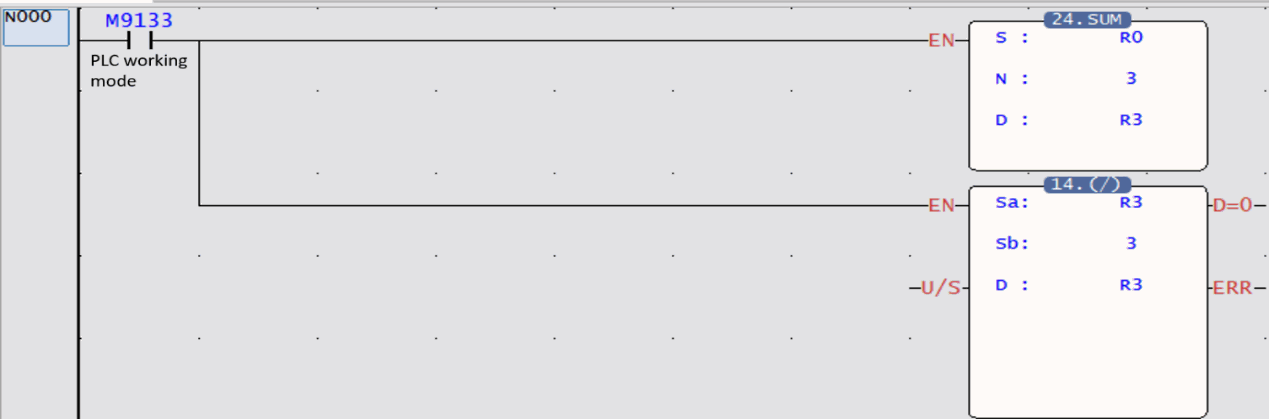
Substitute the average value of R0~R2 in R3.
R3=(R0+R1+R2)÷3
ST
R3:=(R0+R1+R2)/3;
LD
Complex Information Processing
The control program can be written through syntax such as “if" or “for.while.” Compared with the ladder diagram, it can more concisely and clearly describe the complex branch or loop processing of the execution content according to different conditions.
Program Example
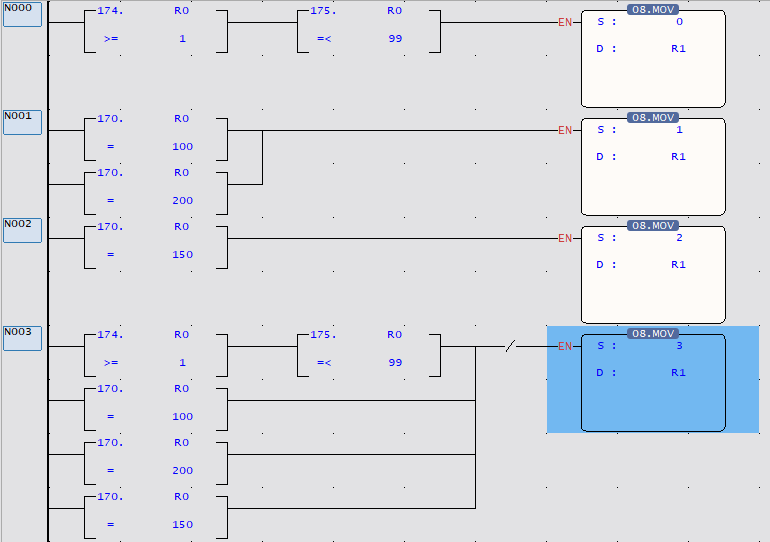
Set 0 to 3 in R1 according to the value of R0
- When 1~99: R1=0
- When 100 or 200: R1=1
- When 150: R1=2
- In case other than above: R1=3
ST
IF R0>=1 &R0 <=99 THEN
R1:=0;
ELSEIF R0=100 or R0=200 THEN
R1:=1;
ELSEIF R0=150 THEN
R1:=2;
ELSE
R1:=3;
END_IF
LD
1-2 Adding ST Language Program
Establishing a new Program
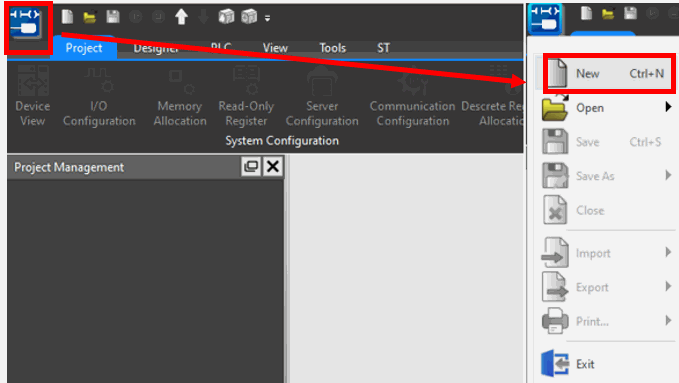
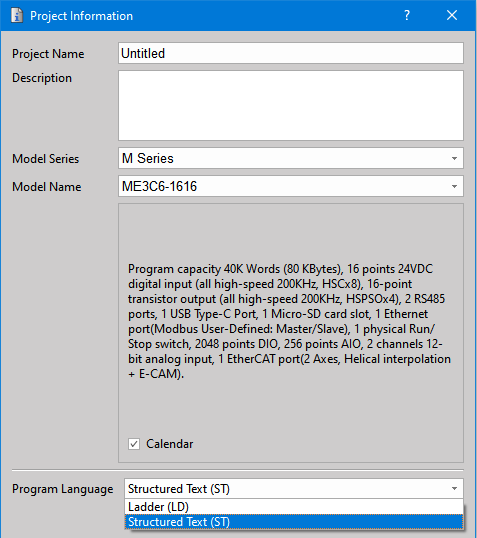
Example of creating MainUint/SubUnit(ST):
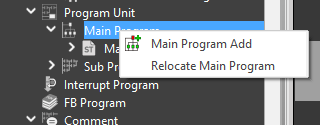
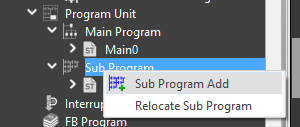
Right click on [Main Program] , or [Sub Program].
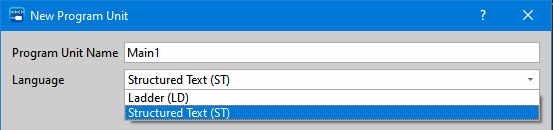
Select [Main Program Add] or [Sub Program Add] and a dialog box will pop up.
Select [Structured Text(ST)] and add the corresponding program.
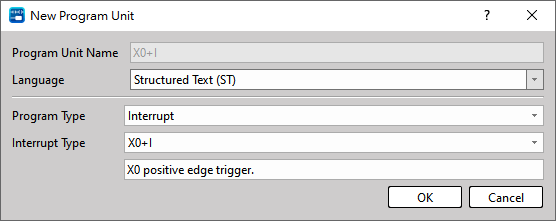
Example of creating an interrupt program (ST):
Click right mouse button on the node of the special program.
Interrupt Program Add
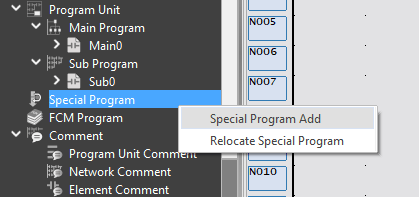
Select the interrupt signal and the program type (ST) to be processed.
Tip: press ← → to switch chapters, Ctrl+K to search