To make it more convenient for users to operate FvRT, IoT support has been added starting from version V1.7.15_B25391.
The IoT function in FvRT supports both iMonitor and iAccess features.
Note 1: When using iAccess Insight, only remote screen monitoring is supported.
Note 2: To use this feature, you must purchase an IGU-FvRT dongle manufactured after 2025/08/25.
31.1 The Use of Search/Replace
Step 1 : Run the FvRT application. You will see the IoT configuration option on the screen.
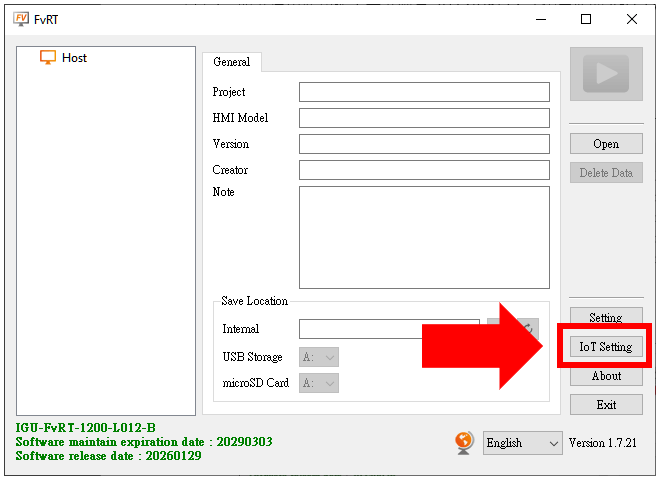
Figure 576 FvRT IoT Settings Option
The IoT enable setting for FvRT will be stored on the computer.
If multiple computers need to use IoT, the setting must be enabled separately on each computer through the configuration page.
If the IGU-FvRT dongle is replaced, the password must also be configured again.
Step 2 : Insert the IGU-FvRT dongle into the computer and open the settings page.
You will see the HWID of the dongle. After enabling the option, you can enter the Service Password and LID.
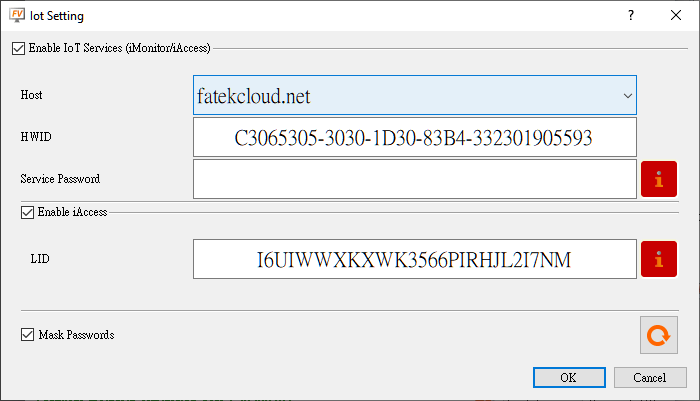
Figure 577 FvRT IoT Settings Page
Step 3 : Add a device in your IoT account. When filling in the HWID on the Add Device page, select FvRT as the Product Type.
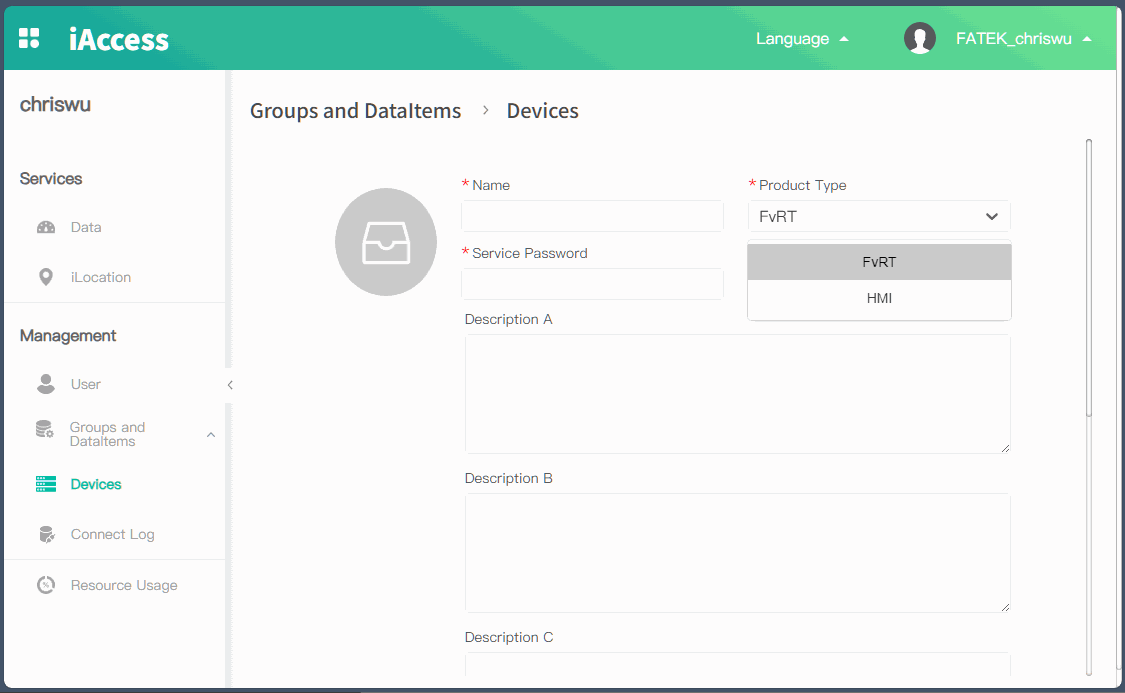
Figure 578 Add FvRT Device
Tip: press ← → to switch chapters, Ctrl+K to search